
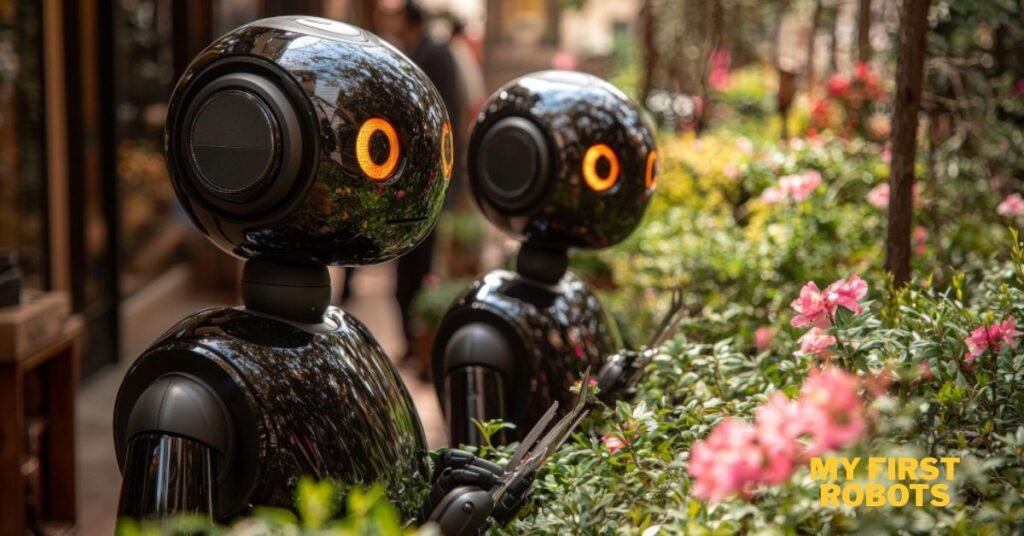
I still remember the first “robot” I ever built. It was nothing more than a cardboard box with googly eyes, a battery-powered fan, and an optimism-fueled belief that I had created something magical. It didn’t move. It didn’t beep. But it sparked something—curiosity. And that curiosity is exactly where every robotics journey begins.
Whether you’re a young tinkerer, a parent encouraging STEM learning, or an adult finally exploring a long-held childhood dream, your first robots don’t have to be complicated. They just need to work well enough to teach you something exciting.
In this guide, we’ll walk through what “My First Robots” really are, how to choose or build them, common pitfalls to avoid, and the tools you’ll need along the way.
What Are “First Robots” and Why Do They Matter?

Your first robot is less about engineering perfection and more about hands-on learning. These early projects give you:
- Confidence: Once you make one thing move, you realize you can make a hundred more.
- Practical skills: Wiring, coding basics, mechanical assembly, troubleshooting.
- Creative problem-solving: Robots rarely work on the first try, which is half the fun.
- A foundation for advanced robotics: Sensors, motors, logic—even the basics feel exciting.
Think of first robots as training wheels for the world of automation and electronics.
Popular Types of First Robots (With Examples)
1. Line-Following Robots
These simple bots detect and follow a dark line on the ground—perfect for understanding sensors and motor control.
Great for: Beginners wanting to learn logic and simple programming.
Typical tools: Arduino, IR sensors, mini breadboard, DC motors.
2. Obstacle-Avoidance Robots
Using ultrasonic sensors, these robots navigate around objects on their own.
Great for: Anyone who wants an interactive, surprisingly “alive” robot.
Bonus: Kids love watching them zig-zag around furniture.
3. Programmable Robot Kits
Brands like LEGO Mindstorms, Makeblock mBot, and VEX IQ offer plug-and-play components that reduce frustration and maximize learning.
Great for: Visual learners or families building together.
4. Simple Robotic Arms
Even a basic 3–4 servo arm can teach key robotics principles like degrees of freedom and precise motion control.
Great for: Older teens and adults who want fun challenges without full-on engineering.
How to Build Your First Robot: Step-by-Step
1. Choose Your Platform
Decide on the level of complexity you’re comfortable with:
- Kits (fastest to start)
- Scratch-built robots using Arduino or Raspberry Pi (more flexible, more learning)
If you’re brand new, a kit is usually the happiest place to start.
2. Gather Your Tools
You don’t need a workshop—just the basics:
- Mini screwdriver set
- Soldering iron (optional for some kits)
- Electrical tape or heat-shrink tubing
- USB cable for programming
- Breadboard and jumper wires
- Safety goggles (trust me on that one)
3. Assemble the Hardware
Follow the kit instructions, or if you’re building your own:
- Mount motors to a chassis
- Attach wheels or tracks
- Install the microcontroller
- Connect sensors (line sensors, ultrasonic, etc.)
- Wire everything to the motor driver and power source
It’s like building IKEA furniture—but with fewer missing screws… usually.
4. Upload Your First Program
Start with the simplest actions:
- Move forward
- Stop
- Turn
- Read a sensor value
For Arduino users, the example files are gold. For kit users, drag-and-drop coding makes it nearly impossible to get stuck.
5. Test, Tweak, Repeat
Your robot will do something unexpected. Maybe it spins like a confused puppy. Maybe it refuses to move altogether.
That’s normal.
Troubleshooting is where the learning happens:
- Is a wire loose?
- Are the batteries charged?
- Are the sensors facing the right direction?
- Did you upload the code to the correct port?
Celebrate the wins—especially the tiny ones.
Common Mistakes Beginners Make (And How to Avoid Them)
❌ Skipping the basics
Learn how motors, sensors, and microcontrollers work. You don’t need electrical engineering knowledge—just enough to not accidentally fry your board.
❌ Choosing a project that’s too advanced
Start small. No one begins with a humanoid robot that cooks breakfast.
❌ Poor wiring
Loose wires are the #1 frustration point. Use proper connectors or heat-shrink tubing for stability.
❌ Ignoring power management
Robots need stable voltage. Low batteries cause weird, unpredictable behavior (like your robot deciding to moonwalk backward).
❌ Trying to “finish” instead of “learn”
Robotics is iterative. Treat every hiccup as part of the journey.
Tools and Kits I Recommend for First-Time Builders
✔ Best All-Around Starter Robot Kit
Makeblock mBot – Easy, durable, great coding interface.
✔ Best for Kids
LEGO Mindstorms Robot Inventor – Friendly, visual, endlessly expandable.
✔ Best Budget Option
Generic Arduino Smart Car Kits – Affordable and perfect for experimentation.
✔ Best for Adults Who Want a Challenge
Elegoo Robot Arm Kit – More complex but incredibly rewarding.
Real-World Uses for Skills You’ll Learn
Even simple beginner robots prepare you for:
- Home automation projects
- Drone programming
- Smart sensor systems
- Career paths in AI, engineering, manufacturing
- Science fair success stories
- Building custom gadgets around the house
Today’s cardboard-box robot could lead to tomorrow’s fully automated workshop.
Final Takeaway: My First Robots Isn’t Just a Project—It’s the Beginning of a Journey
Building your first robot is less about perfection and more about possibility. It’s a doorway into creativity, problem-solving, and the thrill of making something that moves because you told it to.
Whether you’re starting with a simple kit or diving into Arduino, the key is to start small, stay curious, and enjoy the messy, magical learning process.
FAQs
How much does it cost to build a beginner robot?
Anywhere from $25–$150, depending on whether you choose a DIY kit or build from scratch.
Do I need to know how to code?
Not at all—many kits use visual programming. You can learn code gradually.
How long does a first robot take to build?
Most beginners finish in 1–3 hours, including troubleshooting.
What age is appropriate for robotics?
With supervision, kids as young as 7 can use beginner-friendly kits.
What’s the best robot for absolute beginners?
A line-following or obstacle-avoiding robot kit is the easiest, most rewarding starting point.

Adrian Cole is a technology researcher and AI content specialist with more than seven years of experience studying automation, machine learning models, and digital innovation. He has worked with multiple tech startups as a consultant, helping them adopt smarter tools and build data-driven systems. Adrian writes simple, clear, and practical explanations of complex tech topics so readers can easily understand the future of AI.