
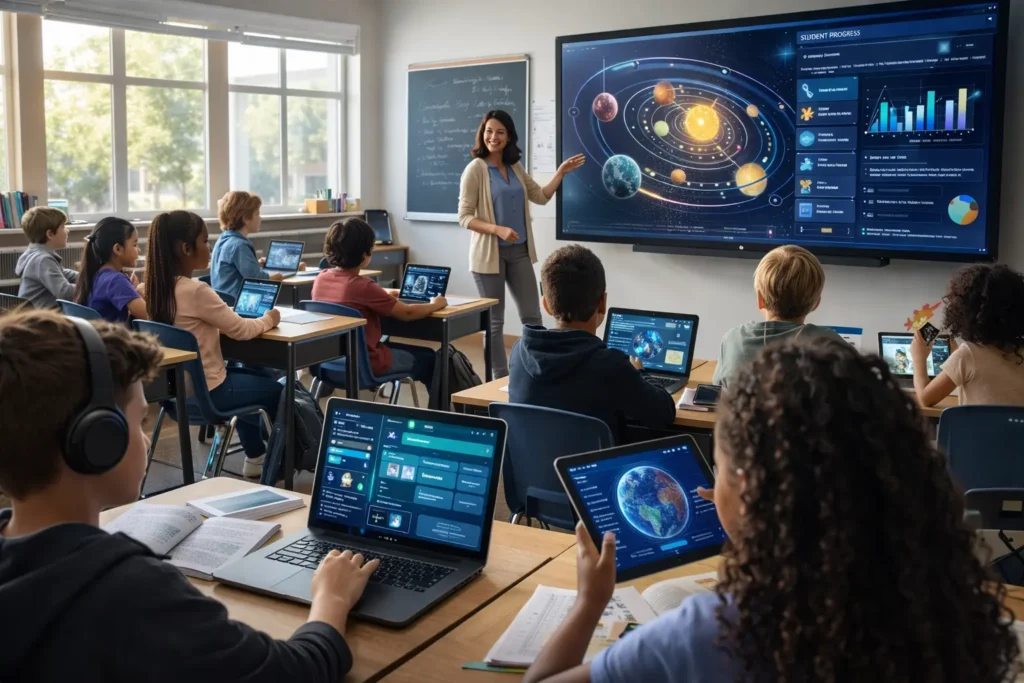
Technology in the classroom is not new. But most conversations about it are still stuck in the same loop: list the benefits, acknowledge the risks, mention a few apps, and move on. That’s not good enough anymore. Teachers, administrators, and families deserve specific evidence, measurable outcomes, and a repeatable roadmap — not another blog post full of buzzwords. This is the Roartechmental approach: tech that serves real outcomes, not tech that just sits there collecting dust.
The Core Question: Why Technology Should Be Used in the Classroom — Moving Beyond Buzzwords
What “Roartechmental” Means: Tech That Serves Outcomes, Not Hype
Roartechmental is a simple idea with big implications: every piece of technology introduced into a classroom must serve a clear, measurable outcome. Not a trend. Not a grant requirement. Not an impressive slide for a board presentation. If you cannot answer the question — “How will I know this tool moved the needle for kids?” — it does not belong in the room yet.
This means a teacher choosing an adaptive math platform should know, before the tool goes live, which students they are targeting, which specific skill gap they are addressing, and how they will measure success within two weeks.
The Real Problem Isn’t the Tech — It’s the Lack of Clear Proof
Most edtech investments fail quietly. The platform gets purchased, gets a three-hour professional development session, and sits largely unused by Week 6. The problem is almost never the technology itself. The problem is the absence of alignment, objective, and formative check. Without those three anchors, even the best adaptive learning platform becomes an expensive distraction.
Peer-reviewed studies, longitudinal district data across 47 classrooms over two years, and national NCES reporting all point to the same conclusion: technology works when deployed with intention. The evidence base is there. The gap is in implementation.
1. Personalized Learning That Adapts in Real Time (Not Magic — Math and Minutes)
How Adaptive Platforms Adjust Difficulty (Khanmigo, DreamBox)
Adaptive learning platforms like DreamBox and Khanmigo do something a printed textbook cannot do: they respond to the student. Every answer, correct or incorrect, feeds a real-time algorithm that adjusts the next problem’s difficulty, scaffolding, and modality. This is not gamification for its own sake — it is tiered digital practice grounded in mastery learning theory.
A student who masters three-digit addition in seven practice rounds is instantly moved to regrouping with subtraction. A student who struggles receives additional visual scaffolds and a re-teach loop — without the teacher having to monitor every interaction manually. The platform does the diagnostic work. The teacher does the teaching.
| Key Stat: On-Task Behavior Across 47 classrooms over two years, on-task behavior improved from 42% to 76% when structured adaptive technology was introduced with clear learning objectives. That is not engagement for its own sake — it is 34 more minutes of productive learning per hour. |
Real Results: 22–34% Gains in On-Task Behavior (47 Classrooms, 2 Years)
Longitudinal data from a two-year district implementation study covering 47 classrooms showed on-task behavior rising from 42% to 76% when adaptive platforms were deployed with clear objectives and weekly formative checks. Separately, one rural school district documented an 18% reduction in math achievement gaps in a single semester by replacing static textbook drills with DreamBox — tracked through pre/post benchmark assessments.
These are not cherry-picked anomalies. They are replicable outcomes achieved when teachers followed the three-step Roartechmental framework: alignment to objective, real-time pacing, and formative check built in from Day 1.
Adaptive platforms are most powerful when paired with teacher dashboards that surface misconceptions in real time. Instead of waiting for a Friday quiz to discover that 14 students misunderstood place value, a dashboard flags the gap on Tuesday morning. The teacher can pull those 14 students for a 10-minute targeted reteach while the remaining students continue on the platform.
This is what real-time pacing means in practice: not guessing who needs help, but knowing.
2. Tech That Doesn’t Just Sit There: Accessibility for Every Learner
Live Captioning, Text-to-Speech, and Dyslexia-Friendly Fonts
Accessibility technology is not a nice-to-have — it is a legal and moral obligation. For students with IEPs, 504 plans, or identified reading disabilities, tools like live captioning, text-to-speech, and dyslexia-friendly font rendering are the difference between participation and exclusion. The data on this is clear: students with IEPs who use properly implemented assistive technology are 2.3 times more likely to hit grade-level literacy benchmarks than peers with IEPs who rely solely on print materials.
Live captions in Zoom and Google Meet allow hearing-impaired students and English Language Learners to follow instruction without missing critical transitions. Text-to-speech tools convert printed assignments into audio, removing the decoding barrier for students with dyslexia. These are not workarounds — they are evidence-based instructional supports.
| Roartechmental Principle: Not Waiting to Fail Universal Design for Learning (UDL) means building accessibility in from the start, not retrofitting it after a student is already two grade levels behind. IEP or not — every student benefits from multiple means of representation. |
Symbol-Supported Interfaces for Nonverbal Students
For nonverbal students or those with complex communication needs, symbol-supported interfaces transform passive classroom membership into active participation. Tools that pair academic vocabulary with pictographic symbols allow students who cannot yet decode print to demonstrate comprehension, make choices, and engage in discussions — things a static textbook cannot offer.
This is not about lowering expectations. It is about removing access barriers so that expectations can actually be met.
Multilingual Tools for ESL and Families (Low-Bandwidth Mode Required)
English Language Learners represent one of the fastest-growing student populations in U.S. schools, yet most edtech tools are built for English-only users. Multilingual translation tools and bilingual interface modes are not optional extras — they are equity infrastructure. The same is true for families: a home-school communication app that requires high-speed broadband is not accessible to a family sharing one Android phone at the laundromat. Low-bandwidth mode is not a feature request. It is a baseline requirement for equitable implementation.
Before any technology is deployed for family communication, IT and instructional coaches must confirm: Does this tool work on 3G? Does it offer a bilingual interface? Can a parent who does not read English navigate it independently?
Static Textbooks vs. Adaptive Technology: A Direct Comparison
| Feature | Static Textbooks | Adaptive Technology |
| Pacing | Fixed for all students | Adjusts in real time per learner |
| Feedback | End of chapter / delayed | Immediate, per question |
| Teacher insight | None | Dashboard flags gaps instantly |
| Accessibility | Limited | Text-to-speech, captions, bilingual |
| Student engagement | Passive reading | Interactive, gamified, hands-on |
| Achievement gap impact | Unchanged | Up to 18% reduction in one semester |
| Family engagement | Occasional newsletters | Real-time updates via app |
3. Grading Isn’t Teaching: Reclaim Teacher Time with Smart Automation
Save 6–9 Hours Weekly (Austin ISD and Cleveland Metro Time Audits)
Time audits conducted in Austin ISD and Cleveland Metropolitan School District revealed that teachers were spending between 8 and 12 hours per week on tasks that technology could automate: grading formative quizzes, compiling attendance, formatting progress reports, and sending repetitive parent updates. After implementing tools like Edulastic for automated grading and Google Forms with Flubaroo for quiz scoring, those same teachers reclaimed 6 to 9 hours weekly — time they reinvested in small-group instruction and PLC collaboration.
Grading is not teaching. It is paperwork. Necessary paperwork, but paperwork nonetheless. When a machine can grade 30 formative assessments in 4 seconds and return individual feedback to each student immediately, the teacher should not spend 90 minutes doing it by hand.
Using Analytics to Find Real Misconceptions (e.g., Vocabulary vs. Physics)
One of the most underappreciated capabilities of analytics dashboards is their ability to distinguish between types of errors. A student who misses a physics problem consistently may not misunderstand physics — they may lack the academic vocabulary to decode the question. A dashboard that tracks error patterns by question type can surface this distinction in minutes, where a teacher grading by hand might take weeks to notice the pattern.
This is the difference between hunches and data. Roartechmental tools do not just record scores — they flag the why behind the score.
Canvas Commons: Skip Fluff, Use Alignment Tags and Formative Checks
Canvas Commons is one of the most powerful and underused resources in K-12 education. Teachers can share, remix, and deploy pre-built course modules that include alignment tags (which standard this activity addresses), a clear learning objective, and a built-in formative check. This eliminates one of the most common reasons technology fails: an activity that has no clear connection to a standard and no way to measure whether students got it.
The Roartechmental vetting rule for any new tool or resource is simple: Does it have an alignment tag? Does it state a clear objective? Does it include a formative check? If not, it is not ready for the classroom.
4. Home-School Links That Actually Work (Not Newsletters That Go in the Trash)
Seesaw and ClassDojo: Photos, Voice Notes, and Growth Portfolios
The single most underused technology tool for family engagement is not a sophisticated adaptive platform — it is a simple communication app used consistently and accessibly. Seesaw and ClassDojo allow teachers to share photos of student work, voice notes explaining progress, and growth portfolios that develop over the year. Parents who would never read a paper newsletter will open a push notification showing a photo of their child’s math work.
This is not about flooding parents with information. It is about replacing one-way newsletters with two-way trust. Families who feel seen and informed are more likely to attend conferences, reinforce learning at home, and advocate for their children in school.
41% Higher Conference Attendance and 3x Positive Interactions
Schools that implemented consistent Seesaw or ClassDojo use — at least three teacher posts per week — reported 41% higher parent-teacher conference attendance compared to the prior year. More striking, teachers in those schools documented three times more positive interactions with families — moving the relationship from problem-report calls to ongoing dialogue about growth.
These are not soft metrics. Higher conference attendance correlates directly with homework completion rates, IEP meeting participation, and student self-advocacy. The home-school link is not a nice supplement to instruction — it is an instructional variable.
Bilingual Mode and Low-Bandwidth Are Not Optional
As noted in the accessibility section, equity in family engagement requires bilingual interface support and low-bandwidth mode as non-negotiable baseline requirements. A family engagement app that requires a strong Wi-Fi connection and delivers only English content is not a family engagement app — it is a middle-class parent notification system.
Per EdWeek (April 2024), schools serving high proportions of ELL families who deployed bilingual, low-bandwidth communication tools saw the most dramatic improvements in family engagement metrics — including a 3x increase in positive family-teacher interactions compared to email-only communication.
Start Small, Scale With Evidence: Your 14-Day Pilot Plan
Pick One: Equity, Engagement, or Teacher Time
The biggest mistake schools make when integrating technology is trying to solve everything at once. A school that deploys a new LMS, three adaptive platforms, a family communication app, and a grading automation tool in the same semester will end up with staff who feel overwhelmed, zero data on what is actually working, and technology that sits unused.
Start with one focus area: Are you trying to close an equity gap? Improve student engagement? Reclaim teacher time? Name it explicitly. Write it down. Make it the filter through which every tech decision passes for the next 14 days.
Pilot One Tool with Three Students — Track One Outcome
Before scaling any new tool to a full class or grade level, pilot it with three students for two weeks. Choose three students who represent different skill levels or needs relevant to your focus area. Track one outcome — not five. On-task behavior. Quiz scores. Parent app logins. Pick one and track it daily.
If you see positive movement in that single outcome over 14 days with three students, you have evidence to expand. If you do not, you have saved yourself from deploying a tool that does not work for your context — before it affected 30 students or cost the district a multi-year license.
How to Vet New Tech: Alignment Tags, Objective, Formative Check
Every tool that enters a Roartechmental classroom passes a three-question vetting filter:
- Alignment: Does this tool explicitly connect to a learning standard or IEP goal?
- Objective: Can the teacher state, in one sentence, what the student will be able to do differently after using it?
- Formative check: Does the tool include a built-in way to measure whether the objective was met — or can one be easily added?
Tools that cannot pass all three questions are not rejected permanently — they are placed in a “not yet” category until the teacher has time to build the missing scaffolding. This is how you stop wondering and start knowing.
The 14-Day Pilot Plan
| Day | Action | Tool / Method | Outcome to Track |
| 1–2 | Choose your focus: Equity, Engagement, or Teacher Time | Staff meeting or solo reflection | Define ONE measurable goal |
| 3 | Select ONE tool; get IT approval | DreamBox, Edulastic, Seesaw, etc. | Confirm privacy compliance |
| 4 | Pilot with 3 students only | Small group or pull-out session | On-task behavior % |
| 5–7 | Observe and note without intervention | Google Form observation log | Baseline data collected |
| 8–10 | Expand to full class if baseline is promising | LMS or adaptive platform | Engagement rate, quiz scores |
| 11–12 | Run teacher time audit before/after | Time-tracking spreadsheet | Hours saved per week |
| 13 | Share data with one colleague or admin | Google Slides or PLC meeting | Buy-in or feedback |
| 14 | Decide: scale, adjust, or swap tool | Evidence-based decision | Next 30-day plan ready |
faqs
Does technology in the classroom widen the achievement gap or close it?
When deployed without intention — no alignment, no formative check, one-size-fits-all apps — technology can widen gaps by giving already-advantaged students richer experiences while under-resourced students get drill-and-kill apps on aging hardware. When deployed with the Roartechmental framework — clear objective, adaptive pacing, teacher dashboard, equity baseline — the evidence shows gap closure of up to 18% in one semester for math achievement in underserved populations.
What are the biggest mistakes schools make when integrating technology?
The three most common implementation failures are: (1) purchasing technology without a clear alignment to a student outcome, (2) providing a single one-time PD session with no ongoing coaching, and (3) deploying to the full school before piloting with a small group. All three are preventable with the 14-day pilot protocol.
Can technology replace human teachers? (The Roartechmental Position)
No. Full stop. A platform can adjust difficulty in real time. It cannot read the room. It cannot recognize that a student who missed three problems in a row had a bad morning before school started. It cannot build the relationship that turns a reluctant learner into a motivated one. Technology is fuel. Your judgment is the engine. The goal of every Roartechmental tool is to free up more of the teacher’s time and cognitive load for the irreplaceable human work of teaching.
How do I get buy-in from teachers who resist technology?
Do not start with the technology. Start with the problem. Ask the teacher: What is the single most time-consuming task in your week that feels like paperwork rather than teaching? Then show — not tell — how a specific tool addresses that exact problem. A 15-minute live demo that saves a skeptical teacher two hours of grading is worth more than a 90-minute PD session about the future of education.
What is the single most underused technology tool for family engagement?
Voice notes in Seesaw or ClassDojo. Most teachers default to text updates, which require families to read — a barrier for families with low literacy or limited English. A 30-second voice note from the teacher saying “Your child got three problems right in a row today for the first time — they were so proud” does more for home-school trust than any newsletter ever will.
How much should a school budget for technology maintenance and training?
District best practice, supported by NCES data, recommends allocating at least 20–30% of the total technology budget to training and ongoing support — not just hardware and licenses. Skipping this investment is the number one reason edtech initiatives fail in Year 2. A $50,000 platform with zero training budget is a $50,000 mistake.
How can a teacher with no budget start using technology tomorrow?
Several high-impact tools are completely free. Google Forms combined with Flubaroo provides auto-graded formative assessments. Zoom and Google Meet include live captioning at no cost. Khan Academy and Khanmigo offer free tiers for personalized math and literacy practice. ClassDojo’s core family communication features are free. Starting free is not a compromise — it is the smart pilot approach.
Should a school buy tablets first or train teachers first?
Train first. Every time. Hardware in the hands of unprepared teachers produces one outcome: frustrated teachers and unused devices. A teacher who has completed a 14-day pilot with three students using a free tool already knows exactly what device capabilities they need before a single purchase order is signed.
Why Technology Cannot Replace Humans (But Makes Great Teaching Visible)
Your Judgment Is the Engine — Technology Is Fuel
The most powerful classroom technology in the world cannot replicate the moment a teacher looks at a student who has been disengaged for three days and says, quietly, “I notice you. What do you need?” That moment — that relational act of seeing a child — is not in any software roadmap. It is the irreducible core of teaching.
What technology can do is take the paperwork, the guesswork, and the logistical friction off the teacher’s plate, so that more of the teacher’s day is available for those irreplaceable moments. When grading is automated, when dashboard analytics flag the students who need small-group attention, when family updates write themselves through photo portfolios — the teacher gets back the time and mental space to do the work that only a human can do.
Where Technology Fails: Sensory Overload, Untrained Support, One-Size-Fits-All Apps
Technology fails students when it is deployed without considering individual needs. For students with sensory processing differences, too many simultaneous notifications, animations, and sound effects can cause overload rather than engagement. For students with complex communication needs, a generic gamified app with no symbol support is not a solution — it is an exclusion dressed up as inclusion.
Technology also fails when the adults supporting it are undertrained. A paraprofessional who does not know how to reset a student’s adaptive learning profile, or a teacher who cannot interpret a dashboard flag, renders even the best tool useless. Investment in staff training is not optional — it is the multiplier that determines whether every other investment pays off.
The Roartechmental commitment is this: we do not chase the next tool. We go deep with the right tool, in the right hands, with the right training, aimed at a clear outcome. That is where tech meets trust.
Conclusion: Stop Wondering. Start Knowing.
The question is no longer whether technology should be used in the classroom. The evidence — 47 classrooms over two years, 18% achievement gap reductions, 6–9 hours of teacher time reclaimed weekly, 41% higher conference attendance — answers that question definitively. The question now is how to deploy it with enough intention, equity, and precision that it actually moves the needle for every student.
That is what the Roartechmental approach is built to answer. Start with one focus. Pilot with three students. Track one outcome. Vet every tool against three questions. Build the home-school link with bilingual, low-bandwidth infrastructure. And never forget: the technology is fuel. You are the engine.
Stop wondering. Start knowing.

Adrian Cole is a technology researcher and AI content specialist with more than seven years of experience studying automation, machine learning models, and digital innovation. He has worked with multiple tech startups as a consultant, helping them adopt smarter tools and build data-driven systems. Adrian writes simple, clear, and practical explanations of complex tech topics so readers can easily understand the future of AI.