
Instagram has quietly transformed from a simple photo-sharing app into a full-fledged business platform. Today, people discover brands, ask questions, shop, and even get customer support directly inside the app. In the middle of all this activity sits a powerful but often misunderstood feature: business chat on Instagram.
If you’ve ever wondered what is a business chat on IG, you’re not alone. Many entrepreneurs, influencers, and small business owners see the label but aren’t entirely sure what it means or how to use it effectively.
Think of business chat as Instagram’s version of a customer service desk combined with a sales assistant — all inside direct messages.
Instead of casual conversations between friends, a business chat is a structured communication channel designed for brands to interact with customers professionally, answer questions, automate responses, and guide people toward purchases or bookings.
And here’s the thing: when used well, Instagram business chat can dramatically improve customer trust, response time, conversions, and overall brand experience.
In this complete guide, you’ll learn:
- Exactly what a business chat on IG is
- How it works inside Instagram messaging
- Why businesses rely on it for customer communication
- How to set it up and use it strategically
- Tools that improve Instagram messaging automation
- Common mistakes that cost brands leads and sales
- Expert tips for turning DMs into revenue
Whether you’re running a small online shop, managing a brand page, or growing a creator business, this guide will show you how to turn Instagram conversations into real opportunities.
What Is a Business Chat on IG?
At its core, a business chat on Instagram is a direct messaging conversation between a user and an Instagram business account.
But it’s not just a standard DM.
Instagram labels conversations with business accounts as “Business Chat” to indicate that the user is interacting with a company, brand, or creator profile rather than a personal account.
In simple terms:
A business chat is a customer interaction channel designed for brands to communicate with users professionally through Instagram messages.
The Simple Definition
A business chat on IG is:
- A direct message conversation with a business account
- A customer service channel
- A sales inquiry space
- A lead generation tool
- A relationship-building platform
This distinction matters because Instagram provides extra tools and features specifically for business messaging.
Why Instagram Created Business Chat
Instagram introduced business chats to make conversations between brands and customers clearer, safer, and more organized.
Users need to know when they’re talking to a company rather than a friend.
That transparency helps with:
- Customer trust
- Brand credibility
- Professional communication
- Spam prevention
For businesses, the system also allows access to additional messaging features such as:
- Quick replies
- Automated greetings
- Saved responses
- Message filters
- Conversation labels
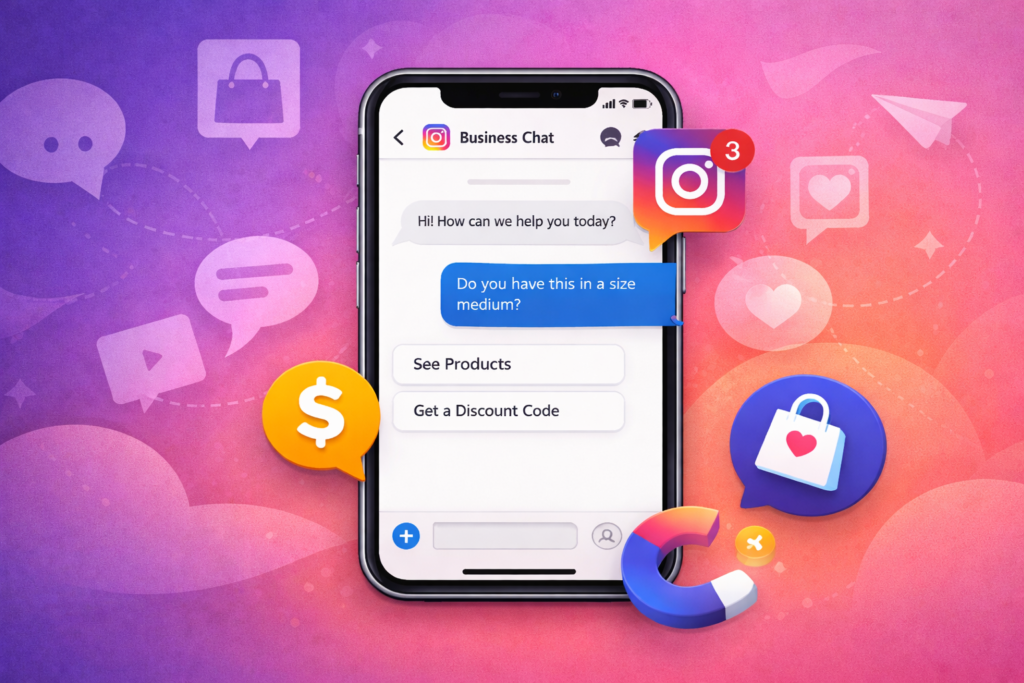
Example of a Business Chat
Imagine you’re browsing Instagram and see a clothing brand post a jacket you love.
Instead of visiting a website, you tap “Message” and ask:
“Do you have this jacket in medium?”
Because the account is a business profile, Instagram shows Business Chat at the top of the conversation.
Now the brand can:
- Answer your question
- Send product links
- Share photos
- Offer discount codes
- Guide you to checkout
All inside Instagram.
Personal DM vs Business Chat
Here’s a quick comparison:
Personal DM
- Casual conversations
- Friends and family
- No automation tools
- No business insights
Business Chat
- Customer communication
- Brand inquiries
- Automated responses
- CRM-style message management
- Lead opportunities
The key difference is intent.
Personal chats are social.
Business chats are customer interactions.
And those interactions can lead directly to sales, bookings, collaborations, or customer support solutions.
Why Business Chat Matters for Brands and Creators
The rise of business chat on Instagram is part of a bigger shift in how people communicate with brands.
Customers today prefer messaging over traditional contact methods.
Many people would rather send a quick DM than:
- Fill out a contact form
- Send an email
- Call customer support
This is why Instagram messaging has become one of the most powerful communication tools in digital business.
Messaging Is Now the New Customer Service
Consumers increasingly expect brands to be reachable through social media.
Instagram DMs are often used for:
- Product questions
- Order tracking
- Customer complaints
- Booking appointments
- Influencer collaborations
- Partnership inquiries
Business chat allows brands to handle all of these interactions efficiently inside Instagram.
Faster Conversations Increase Sales
Speed matters.
If someone messages a brand about a product and gets an immediate reply, they are far more likely to purchase.
Business chat enables:
- Quick replies
- Automated responses
- Instant communication
That means businesses can capture purchase intent while it’s still hot.
DMs Build Stronger Relationships
When a customer sends a message, it feels more personal than filling out a form.
A friendly response builds trust and connection.
Over time, these conversations create:
- Loyal customers
- Brand advocates
- Repeat buyers
Instagram messaging is one of the few channels where brands can talk one-on-one with their audience at scale.
Instagram Is Where Discovery Happens
People often discover brands on Instagram before visiting a website.
That means DMs become the first touchpoint for many potential customers.
A well-managed business chat can turn casual interest into:
- Sales
- Newsletter signups
- Community engagement
- Brand loyalty
In many industries, Instagram messaging is now a core part of the sales funnel.
Key Features of Instagram Business Chat
Understanding what makes business chat unique requires looking at the tools Instagram provides to business accounts.
These features turn basic messaging into a powerful communication system.
1. Automated Greeting Messages
Businesses can set up a welcome message that appears when someone starts a conversation.
For example:
“Hi! Thanks for messaging us. We’ll respond as soon as possible.”
This instantly reassures customers that their message was received.
2. Quick Replies
Quick replies allow businesses to save frequently used answers.
Example responses might include:
- Shipping information
- Return policy
- Pricing details
- Business hours
Instead of typing the same message repeatedly, brands can send prewritten responses instantly.
3. Message Filters
Instagram helps businesses organize conversations by separating:
- Primary messages
- General messages
- Message requests
This keeps important customer inquiries from getting lost.
4. Professional Contact Buttons
Business accounts can include action buttons such as:
- Call
- Directions
- Book now
These work alongside business chat to give customers multiple ways to contact the brand.
5. Automated Responses Outside Business Hours
Businesses can set away messages to inform users when support is unavailable.
Example:
“Thanks for your message! Our team will respond tomorrow morning.”
This improves customer expectations and prevents frustration.
6. Message Labels and Organization
For brands receiving hundreds of messages, organization becomes essential.
Instagram’s messaging tools allow businesses to manage conversations more effectively and track inquiries.
Who Should Use Instagram Business Chat?
Almost anyone running a brand or online presence can benefit from business chat.
But some industries rely on it heavily.
Small Businesses
Local businesses often use Instagram messaging as their primary customer communication channel.
Examples include:
- Boutiques
- Coffee shops
- Beauty salons
- Fitness trainers
- Photographers
Customers frequently message to ask about availability, pricing, or appointments.
E-commerce Brands
Online shops use business chat to answer questions about:
- Product sizing
- Shipping times
- Discounts
- Restocking dates
Many brands even close sales directly through DMs.
Influencers and Creators
Creators receive messages related to:
- Brand partnerships
- Collaboration requests
- Fan interactions
- Product inquiries
A business chat structure keeps these messages organized.
Service Providers
Professionals like coaches, consultants, and freelancers often use Instagram messaging to:
- Qualify leads
- Book calls
- Answer questions
- Guide potential clients toward services
Agencies and Social Media Managers
Agencies managing brand accounts rely on business chat features to handle large volumes of customer communication efficiently.
How to Set Up Business Chat on Instagram (Step-by-Step)
Setting up business chat is straightforward, but it requires switching your account to a professional profile.
Here’s the step-by-step process.
Step 1: Switch to a Business or Creator Account
Open Instagram settings and go to:
Settings → Account → Switch to Professional Account
Choose either:
- Business
- Creator
Both allow access to messaging tools.
Step 2: Add Business Contact Information
Fill in your:
- Phone number
- Business category
- Address (optional)
This helps customers understand who they are messaging.
Step 3: Enable Messaging Features
In the messaging settings, configure:
- Greeting message
- Quick replies
- Frequently asked questions
- Automated responses
These tools improve response efficiency.
Step 4: Connect Instagram to Facebook (Optional)
Connecting your Instagram account to a Facebook page unlocks advanced messaging features through Meta Business Suite.
Benefits include:
- Unified inbox
- Message automation
- CRM-style management
Step 5: Set Up Instant Replies
Create templates for common questions such as:
- “What are your shipping times?”
- “Do you offer international delivery?”
- “How can I book an appointment?”
This dramatically reduces response time.
Step 6: Monitor Message Requests
Many new customers appear in the message request folder.
Check this regularly so potential leads aren’t missed.
Best Practices for Using Instagram Business Chat
Having the feature isn’t enough. How you use it determines whether it helps or hurts your brand.
Respond Quickly
Speed matters.
A response within one hour dramatically increases conversion chances.
If that’s not possible, automation tools can help.
Keep Communication Friendly
Even though it’s a business interaction, Instagram is still a social platform.
Use a conversational tone rather than robotic replies.
Personalize Responses
Instead of sending generic messages, try to personalize:
- Use the customer’s name
- Refer to their question directly
- Provide tailored suggestions
This builds trust.
Use Emojis Carefully
Emojis can humanize conversations but should match your brand voice.
For example:
- Fashion brands may use them often
- Corporate services may keep things minimal
Move Conversations Toward Action
Great business chats guide the customer toward a next step.
Examples include:
- “Would you like the checkout link?”
- “I can send you our booking calendar.”
- “We have two sizes available — which one works for you?”
This turns conversations into conversions.
Tools That Improve Instagram Business Messaging
While Instagram’s built-in features are useful, many businesses use additional tools to handle messaging more efficiently.
Meta Business Suite
Meta Business Suite allows brands to manage messages from:
- Messenger
All in one dashboard.
Pros
- Free
- Unified inbox
- Basic automation
Cons
- Limited advanced automation
ManyChat
ManyChat is a popular Instagram DM automation platform.
Features include:
- Automated conversation flows
- Keyword triggers
- Comment-to-DM automation
- Lead collection
Pros
- Powerful automation
- Great for marketing funnels
Cons
- Paid plans required for advanced features
MobileMonkey
Another automation tool focused on chat marketing.
Pros
- Cross-platform automation
- Marketing integrations
Cons
- Learning curve for beginners
Free vs Paid Tools
Free tools are ideal for:
- Small businesses
- Low message volume
Paid tools are better for:
- High customer traffic
- Sales automation
- Lead generation campaigns
Choosing the right tool depends on message volume and business goals.
Common Mistakes Businesses Make with Instagram Business Chat
Even though the feature is simple, many brands misuse it.
Ignoring Messages
One of the biggest mistakes is failing to respond.
Customers who don’t get replies often:
- Lose trust
- Move to competitors
- Leave negative feedback
Over-Automation
Automation can help, but excessive automation feels robotic.
Balance automation with human interaction.
Sending Sales Messages Too Fast
Not every conversation should jump straight to selling.
Instead:
- Answer questions first
- Build rapport
- Offer helpful guidance
Sales follow naturally.
Unclear Information
If customers ask the same questions repeatedly, it’s often because your:
- Bio
- Highlights
- Website
- Product descriptions
aren’t clear.
Improve those first.
Poor Tone
Messages that feel cold, rushed, or dismissive can harm brand perception.
Friendly communication matters.
The Future of Instagram Business Messaging
Instagram messaging is becoming increasingly central to online business.
Several trends are shaping its future.
Social Commerce
More purchases will happen directly inside apps without visiting external websites.
AI-Powered Chat Assistants
Automation will become smarter, allowing brands to respond instantly with relevant answers.
Personalized Customer Experiences
Brands will use messaging data to create tailored offers and recommendations.
Integrated Customer Support
Messaging platforms will eventually replace many traditional customer service channels.
Businesses that embrace messaging early will have a major advantage in customer engagement.
Conclusion
So, what is a business chat on IG?
Simply put, it’s Instagram’s built-in messaging channel designed specifically for communication between businesses and customers.
While it may look like a normal DM conversation, business chat offers powerful tools that transform simple messages into a complete customer communication system.
For brands, creators, and entrepreneurs, Instagram business chat can be used to:
- Answer customer questions
- Build relationships
- Provide support
- Capture leads
- Close sales
And because Instagram is where people already spend time discovering products and services, conversations often happen at the exact moment someone is interested.
Businesses that respond quickly, communicate authentically, and guide customers toward helpful solutions can turn casual Instagram messages into long-term relationships and revenue.
If you’re serious about growing on Instagram, mastering business chat isn’t optional — it’s essential.
Start by setting up your messaging tools, responding faster, and treating every DM as an opportunity to help someone.
You might be surprised how many sales begin with a simple message.
FAQs
What does “business chat” mean on Instagram?
Business chat refers to a direct message conversation with a business or creator account on Instagram. It indicates that the user is interacting with a professional profile rather than a personal account.
Do I need a business account to use business chat?
Yes. Instagram business chat features are available only on professional accounts, including business and creator profiles.
Can customers message a business directly on Instagram?
Yes. Anyone can send a message to a business account using the Message button on the profile page or posts.
Is Instagram business chat free?
Yes. Instagram business messaging features are free to use, though advanced automation tools may require paid subscriptions.
How do businesses automate Instagram messages?
Businesses use built-in tools such as quick replies and greeting messages, or third-party platforms like ManyChat to create automated responses.

Michael Grant is a business writer with professional experience in small-business consulting and online entrepreneurship. Over the past decade, he has helped brands improve their digital strategy, customer engagement, and revenue planning. Michael simplifies business concepts and gives readers practical insights they can use immediately.