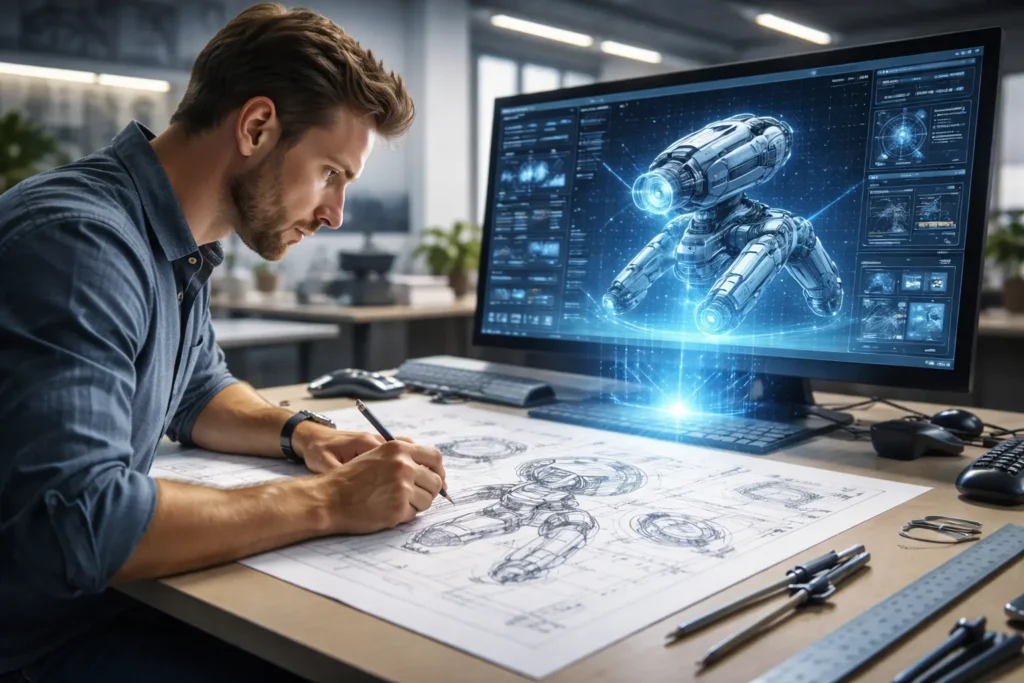
Technology drawings are the universal language of innovation. Whether you are an engineer designing a jet engine, a product designer sketching a new smartphone, a digital artist creating a sci-fi landscape, or an electronics technician mapping out a circuit board, technology drawings serve as the bridge between an idea and its realization. From precise CAD blueprints governed by ISO standards to freehand concept sketches bursting with creative energy, these visual tools are indispensable to virtually every field that builds, makes, or imagines something new.
This comprehensive guide explores the full spectrum of technology drawings — what they are, the major types, the software professionals rely on, the standards that govern them, and the exciting trends shaping their future. Whether you are a student, a seasoned professional, or simply curious, this guide will give you a thorough understanding of this foundational discipline.
What Are Technology Drawings? Defining the Scope
At its core, a technology drawing is any visual representation created for the purpose of communicating technical information, design intent, or creative concepts related to a product, system, structure, or digital artifact. This broad definition deliberately encompasses a huge range of outputs — from a hand-drawn napkin sketch to a fully parametric 3D model in a CAD system.
The term sits at the intersection of engineering communication and digital art. It covers everything from the rigorously standardized orthographic projections used in manufacturing to the loose ideation sketches an industrial designer might use to explore form. Understanding this scope is the first step to appreciating why technology drawings matter so much in the modern world.
The Two Main Worlds: Technical vs. Conceptual Drawings
There are two broad families of technology drawings, and they serve very different masters. Technical drawings — including engineering drawings, architectural blueprints, and schematics — are governed by strict international standards (such as ANSI and ISO) and must convey information unambiguously. A machine part dimensioned in a technical drawing must be manufacturable to exact tolerances; there is no room for artistic interpretation.
Conceptual drawings, on the other hand, live in the world of exploration and communication. Industrial design concept sketches, digital illustrations, and product renderings prioritize visual storytelling and aesthetic appeal. They communicate the feel and intent of an idea rather than its exact specifications. Great designers are often fluent in both worlds — able to sketch a bold concept and then translate it into a precise technical drawing for production.
Why Are They Crucial in the Modern World?
Technology drawings are the foundation of modern manufacturing, construction, electronics, software development, and entertainment. Without them, complex products could not be designed, communicated to teams, manufactured at scale, or maintained over time. They enable global collaboration — an engineer in Germany can send a precisely dimensioned drawing to a factory in South Korea and receive an exactly correct part.
Beyond manufacturing, technology drawings fuel innovation. Concept sketches allow designers to brainstorm hundreds of ideas rapidly before committing to a direction. Schematics allow engineers to simulate electronic systems before building a single prototype. Visualization drawings allow architects and clients to walk through a building that does not yet exist. In short, technology drawings are the language through which human creativity becomes physical reality.
Core Types of Technology Drawings You Should Know
The family of technology drawings is remarkably diverse. Understanding the major categories helps you choose the right approach for any given task.
Engineering & Technical Drawings
Engineering and technical drawings are the gold standard of precise communication in manufacturing, construction, and mechanical design. These drawings are governed by strict conventions and standards — primarily ISO 128 internationally and ANSI Y14.5 in the United States — that ensure anyone trained in the discipline can interpret them correctly, regardless of language.
Key types of engineering drawings include:
- Orthographic projections: The most common format, showing a 3D object from multiple 2D viewpoints (typically front, side, and top). First-angle and third-angle projection are the two standard methods.
- Isometric views: A type of axonometric drawing that shows the object in a 3D-like view without true perspective, useful for visualizing assemblies.
- Section views: Cut-away views that reveal internal features of a component, showing hidden geometry clearly.
- Detail drawings: Close-up views of specific features requiring more information than a general view can provide.
- Assembly drawings: Show how multiple individual parts fit together, often accompanied by a Bill of Materials (BOM) or parts list.
Technical drawings rely on a precise vocabulary of line types — visible lines, hidden lines, center lines, cutting plane lines, and more — each communicating specific information about the geometry and features of the component. Dimensioning and tolerancing (especially Geometric Dimensioning and Tolerancing, or GD&T) are critical layers of information that define not just size but acceptable variation in manufacturing.
Conceptual & Industrial Design Sketches
Long before a product reaches the engineering stage, industrial designers and product designers fill pages with concept sketches — rapid, expressive drawings used to explore form, function, and user experience. These sketches are intentionally loose and fast; the goal is ideation and communication, not precision.
Concept sketching is a skill in its own right. Professional industrial designers often combine line work with marker rendering to communicate volume, material, and light on a design. Form studies explore how a product’s shape will feel in the hand or perform ergonomically. Brainstorming through drawing accelerates the design process enormously, allowing dozens of directions to be evaluated before any engineering resources are committed.
In the digital age, these sketches are increasingly created on drawing tablets using applications like Procreate or Adobe Sketchbook, enabling the speed of freehand sketching with the flexibility of digital editing and sharing.
Digital Art & Illustrations
The field of digital illustration overlaps significantly with technology drawings, particularly in industries like gaming, film, aerospace, and consumer electronics where compelling visual communication is essential. Concept art for video games and films involves highly detailed environment design, character design, and vehicle or weapon design that blends artistic skill with an understanding of real-world engineering constraints.
Matte paintings create photorealistic backgrounds for films. Sci-fi art envisions future technologies in convincing detail. These images are typically produced using a combination of raster graphics tools (like Adobe Photoshop) and vector art applications (like Adobe Illustrator), often on professional drawing tablets. The line between technical illustration and fine art can be surprisingly thin — the best technology illustrators combine engineering understanding with genuine artistic mastery.
Schematic & Diagrammatic Drawings
Schematics and diagrams are specialized technology drawings designed to represent systems rather than physical objects. Instead of depicting how something looks, they show how it works, how its components connect, and how information or energy flows through it.
Major types include:
- Circuit diagrams and wiring diagrams: Use standardized symbols to represent electronic components and their connections. Essential for electronics design and electrical engineering.
- PCB layout drawings: Show the physical arrangement of components and traces on a printed circuit board.
- Block diagrams: High-level representations of system architecture, showing the major functional blocks and their relationships.
- Flowcharts and process diagrams: Map out sequences of steps, decisions, or processes in software, manufacturing, or business contexts.
- Network diagrams: Illustrate the topology of computer or telecommunications networks.
- Logic diagrams: Represent the logical operations in digital circuits.
These drawings are critical in electronics, software architecture, industrial process design, and systems engineering. They prioritize clarity and standardization above all else.
Essential Tools & Software for Creating Technology Drawings
The software you use depends entirely on the type of technology drawing you need to produce. Each domain has its own industry-standard applications, and professional fluency in the right tools is a major career asset.
Industry-Standard CAD Software
Computer-Aided Design (CAD) software is the backbone of modern engineering and architectural drawing. These applications allow engineers and designers to create precise 2D drawings and 3D models that can be directly used in manufacturing, simulation, and analysis.
The leading platforms include:
- AutoCAD (Autodesk): The most widely used 2D and 3D CAD application in the world, dominant in architecture, engineering, and construction.
- SolidWorks (Dassault Systèmes): A parametric 3D CAD tool favored in mechanical and product design, known for its powerful assembly modeling and simulation tools.
- CATIA (Dassault Systèmes): The industry standard for aerospace and automotive design, handling the most complex surface and system modeling.
- Autodesk Fusion 360: A cloud-based CAD/CAM/CAE platform popular with product designers, engineers, and makers, valued for its accessibility and integrated manufacturing tools.
- Autodesk Revit: The leading Building Information Modeling (BIM) software for architecture, structural engineering, and MEP design.
- Autodesk Inventor: A professional mechanical design and 3D CAD application aimed at product and machinery design.
- Onshape: A fully cloud-based CAD platform with strong collaboration features, increasingly popular in startups and education.
- PTC Creo: A powerful parametric and direct modeling CAD platform used extensively in industrial and defense sectors.
Leading Digital Art & Illustration Applications
For concept art, digital illustration, and creative technology drawings, a different set of tools takes center stage:
- Adobe Illustrator: The industry standard for vector art and technical illustration, producing infinitely scalable graphics ideal for diagrams, icons, and precise line work.
- Adobe Photoshop: The world’s leading raster graphics editor, essential for concept art, matte painting, and photo-realistic rendering.
- Procreate (iPad): An extraordinarily powerful and intuitive drawing application for the iPad, beloved by concept artists, industrial designers, and illustrators alike.
- CorelDRAW: A professional vector illustration and graphic design application widely used for technical illustration and product visualization.
- Affinity Designer: A professional-grade vector design application known for its performance and one-time purchase model.
- Krita: A free, open-source painting application with exceptional brush engines, popular with concept artists and digital painters.
- Blender: A powerful free and open-source 3D creation suite used for modeling, rendering, animation, and concept visualization.
- Autodesk Sketchbook: A clean, intuitive sketching and concept application widely used by automotive and product designers.
Specialized Tools for Schematics & Diagrams
Schematic and diagrammatic drawings require their own specialized applications:
- Microsoft Visio: The industry-standard diagramming application for flowcharts, network diagrams, and process maps in business and IT environments.
- Lucidchart: A popular web-based diagramming tool for teams, offering real-time collaboration on flowcharts, network diagrams, and system architecture.
- KiCad: A free and open-source EDA (Electronic Design Automation) suite for circuit schematic capture and PCB layout, widely adopted in the maker and open-source hardware communities.
- Altium Designer: The professional standard for PCB design, used in commercial electronics development.
- EAGLE: A widely used EDA tool for schematic capture and PCB layout, now integrated into Autodesk Fusion 360.
- Draw.io (diagrams.net): A free, versatile web-based diagramming tool supporting a huge range of diagram types with integrations for Google Drive and Confluence.
Must-Have Hardware for Professionals
Software talent needs hardware to match. Professional technology drawing typically requires a powerful workstation with a high-resolution monitor, sufficient RAM and a capable GPU for rendering and 3D visualization. For digital illustration and concept sketching, a drawing tablet — from brands like Wacom, Huion, or XP-Pen — is essentially mandatory. These pressure-sensitive tablets translate natural hand movements into precise digital strokes, enabling a level of control impossible with a standard mouse.
The iPad Pro with Apple Pencil and Procreate has become a serious professional tool, particularly for concept design and ideation. For engineers, a 2-in-1 laptop can serve double duty as a portable CAD station and a sketching device.
Key Elements & Standards in Technical Drawings
Reading and creating technical drawings requires literacy in a precise visual language. The following elements form the core vocabulary of engineering and technical drawing practice.
Mastering Line Weights and Types
Line type is not arbitrary in technical drawing — each type carries specific meaning, and professional drawings use them consistently. The major line types include:
- Visible lines (solid, thick): Show the edges and contours of a part that are directly visible from the current viewpoint.
- Hidden lines (dashed, medium): Represent edges and features that exist behind visible surfaces.
- Center lines (alternating long and short dashes, thin): Mark the axes of symmetry, holes, cylindrical features, and bolt circle centers.
- Dimension lines and extension lines (thin, solid): Used to indicate measurements and the features being measured.
- Cutting plane lines (thick, with arrowheads): Show where a section view has been taken.
- Phantom lines (alternating long and short dashes, thin): Show alternate positions of moving parts or adjacent parts not part of the drawing.
Line weight (thickness) is equally important, providing visual hierarchy that makes drawings easier to read quickly. Visible outlines are the thickest; dimension lines and hatch lines are the thinnest.
Understanding Dimensions and Tolerances (GD&T)
Dimensioning communicates the size, location, and geometry of features on a drawing. But no manufacturing process is perfectly precise, so tolerances define how much variation from the ideal dimension is acceptable before a part is rejected. This balance between specification and permissible variation is at the heart of engineering drawing.
Geometric Dimensioning and Tolerancing (GD&T), governed by ANSI Y14.5 in the USA and ISO 1101 internationally, is the most powerful system for communicating tolerance requirements. GD&T uses a system of symbols and feature control frames to specify not just size tolerances but geometric requirements — flatness, roundness, straightness, perpendicularity, concentricity, position, and more. It is a critical skill for any engineer or machinist involved in precision manufacturing.
Basic dimensions, datums, and datum reference frames are the structural backbone of a GD&T scheme, defining the reference points from which all measurements are taken. Understanding GD&T deeply separates good engineers from great ones.
The Importance of Scales and Projections
Physical objects can be vastly larger or smaller than the drawing sheet, so scale is always specified. A scale of 1:1 means the drawing is full size; 1:2 means the drawing is half the actual size; 2:1 means the drawing is twice the actual size. Scale must always be noted in the title block so that anyone reading the drawing knows how to interpret dimensions.
Projection method is equally important. Orthographic projection — the standard for engineering drawing — shows an object as seen from directly in front, above, or to the side. Third-angle projection is standard in the USA and Canada; first-angle projection is standard in Europe and much of the rest of the world. Confusing the two can lead to serious manufacturing errors, so drawings must always clearly indicate which standard is used. Isometric and axonometric projections are used for 3D pictorial views that help visualize assembly and spatial relationships.
Annotations, Symbols, and Title Blocks
A technical drawing is never just geometry — it is accompanied by a rich layer of annotations that provide crucial information for manufacturing, inspection, and maintenance. These include:
- Notes: General and specific notes explaining materials, processes, treatments, or requirements not conveyed by geometry alone.
- Surface finish symbols: Indicating required surface roughness (Ra values) for machined or processed surfaces.
- Welding symbols: Comprehensive symbols indicating weld type, size, location, and process requirements.
- Bill of Materials (BOM) / Parts list: A table listing all components in an assembly with part numbers, descriptions, quantities, and materials.
- Title block: A standardized box (typically in the lower right corner) containing the drawing title, part number, revision level, scale, material, drafter name, date, and company information.
- Revision block: A history of all changes made to the drawing since its initial release.
These elements transform a geometric drawing into a complete engineering document that can be used confidently throughout the product lifecycle.
Modern Trends Shaping the Future of Technology Drawings
The field of technology drawings is undergoing rapid transformation, driven by advances in computing, artificial intelligence, and digital collaboration. Several major trends are redefining what it means to create and use these drawings.
The Rise of 3D Modeling and BIM
The transition from 2D drawing to 3D modeling is arguably the most significant shift in the history of engineering drawing. Modern CAD systems allow engineers and designers to create fully parametric 3D solid models from which 2D drawings are automatically derived. Change the 3D model, and the drawings update automatically, dramatically reducing errors and saving time.
Building Information Modeling (BIM) takes this further in the architecture, engineering, and construction (AEC) sector. A BIM model is not just a 3D shape — it is a rich digital twin that contains data about every component: materials, costs, energy performance, and maintenance schedules. Platforms like Autodesk Revit enable entire project teams to collaborate on a single coordinated model, detecting clashes between structural, mechanical, and electrical systems before construction begins. The concept of the Digital Twin extends this idea to operational assets — a 3D model that is continuously updated with real sensor data from the physical asset throughout its life.
AI-Powered Drawing Tools
Artificial intelligence is beginning to reshape how technology drawings are created. Generative design tools, available in platforms like Autodesk Fusion 360, use AI algorithms to explore thousands of design iterations based on defined performance criteria and manufacturing constraints, producing optimal geometries that a human designer would never intuitively reach.
AI-assisted sketching tools can recognize rough hand-drawn shapes and automatically generate clean, precise geometry. Text-to-CAD systems — still in early development — aim to allow engineers to describe a design in natural language and have the system generate an initial 3D model. Automated dimensioning tools can analyze a completed 3D model and generate a fully annotated 2D drawing with minimal human input. These technologies are not replacing skilled engineers and designers — they are dramatically amplifying their productivity.
Cloud Collaboration and Version Control
The shift to cloud-based CAD platforms is transforming how design teams work. Tools like Autodesk Fusion 360 (cloud-native), Onshape (fully browser-based), and PTC Windchill enable real-time collaboration on technical drawings and models from anywhere in the world, with robust version control ensuring that everyone is always working from the correct, most current iteration of a design.
This is a profound change from the traditional model of sharing heavy CAD files via email or shared drives — a process rife with version confusion and compatibility issues. Cloud CAD is particularly transformative for globally distributed teams and supply chains, enabling the instantaneous, seamless collaboration that modern product development demands.
Virtual Reality (VR) and Augmented Reality (AR) Integration
The next frontier is immersive design review. VR sketching tools allow designers to draw and sculpt in three-dimensional space, experiencing their designs at true scale before any physical prototype is built. AR visualization overlays digital models onto the physical world — an engineer can put on AR glasses and see a 3D model projected onto the actual location where a machine will be installed.
These technologies are already in active use at major aerospace, automotive, and architecture firms. As the hardware becomes more affordable, immersive design tools will become standard across the industry, transforming how technology drawings are created, reviewed, and communicated.
Finding Inspiration and Resources for Your Next Project
Great technology drawings start with inspiration and strong references. Fortunately, the internet offers a vast ecosystem of communities and platforms where designers and engineers share their work.
Top Online Platforms for Ideas
- Behance and Dribbble: Premier platforms for showcasing professional design work, including industrial design concept sketches, product renders, and digital illustrations.
- ArtStation: The leading community for concept artists, with extraordinary examples of sci-fi and technology illustration.
- GrabCAD: A community of engineers and designers sharing CAD models — an invaluable resource for studying real technical drawings and 3D models.
- Freepik and Vecteezy: Vast libraries of vector illustrations, technical drawing templates, and technology-themed stock graphics.
- Pinterest: Excellent for broad visual inspiration across all categories of technology drawing, from circuit board art to architectural sketches.
- NASA Image and Video Library: A treasure trove of real engineering drawings, concept art, and technical illustrations from one of the world’s most technically demanding organizations.
- Thingiverse and Printables: Communities sharing 3D models and engineering designs, many accompanied by technical drawings.
faqs
What is the difference between a technical drawing and an artistic drawing?
A technical drawing is governed by strict standards and conventions (ISO, ANSI) and must communicate precise, unambiguous information — dimensions, tolerances, materials, and processes — that enables a product to be manufactured or built. Artistic drawings prioritize aesthetic expression, emotional impact, and creative communication. The key difference is intent: a technical drawing must be correct to function; an artistic drawing must be compelling to succeed. That said, many technology drawings — particularly concept sketches and technical illustrations — blend both qualities, requiring both precision and artistic skill.
What software do professional engineers use for drawings?
The most widely used engineering drawing software includes AutoCAD for 2D drafting and general design, SolidWorks and Autodesk Inventor for mechanical design, CATIA for aerospace and automotive applications, and Autodesk Revit for architectural and structural BIM. For electronics, Altium Designer and KiCad are the primary platforms. Cloud-based tools like Onshape and Autodesk Fusion 360 are growing rapidly. The right choice depends entirely on the industry, the complexity of the work, and the collaboration requirements of the team.
Is learning to do technology drawings difficult?
The learning curve varies significantly by type. Basic 2D drafting and schematic drawing can be learned to a functional level within weeks. Mastering parametric 3D CAD to a professional standard typically takes one to three years of consistent practice. GD&T is a specialized discipline that many engineers study throughout their careers. Concept sketching and digital illustration improve continuously with practice — the fundamentals can be learned quickly, but true mastery takes years. The good news is that excellent free resources — YouTube tutorials, official software documentation, and platforms like LinkedIn Learning and Coursera — make it easier than ever to get started.
Can I create technology drawings on an iPad?
Absolutely. The iPad Pro with Apple Pencil is now a genuinely professional tool for technology drawings. Procreate is widely used for concept sketching and digital illustration. Shapr3D brings a surprisingly capable parametric CAD experience to the iPad, allowing engineers to create and edit 3D models with natural touch and pencil input. Autodesk Sketchbook is excellent for ideation sketching. For serious engineering drawing, a full desktop CAD platform on a laptop or workstation remains the professional standard, but the iPad has earned a genuine place in the professional design workflow — particularly for early-stage concept work and client presentations.
Where can I download free technology drawing templates or vectors?
Several platforms offer free templates and vector resources for technology drawings. Freepik and Vecteezy provide extensive libraries of technology-themed vector illustrations and drawing templates, with free tiers available. Draw.io (diagrams.net) offers free diagramming with built-in shape libraries. GrabCAD hosts a large community library of free CAD models. Many CAD software vendors provide starter templates and drawing border/title block files. The Thingiverse and Printables communities share free 3D models. For technical drawing standards templates, your national standards body (ANSI, ISO, DIN) may provide reference documents, though official standards publications typically require purchase.
What are the standard sizes for drawing sheets (A0, A1, A2, etc.)?
Drawing sheet sizes follow the ISO A-series standard internationally. A0 (841 × 1189 mm) is the largest common sheet; each subsequent size is exactly half the area of the one above: A1 (594 × 841 mm), A2 (420 × 594 mm), A3 (297 × 420 mm), and A4 (210 × 297 mm, equivalent to approximately US Letter size). In North America, the ANSI standard uses different designations: A (8.5 × 11 inches), B (11 × 17 inches), C (17 × 22 inches), D (22 × 34 inches), and E (34 × 44 inches). Sheet size is always noted in the title block, and the scale of the drawing is chosen to make the subject fill the sheet appropriately while remaining readable.
How are technology drawings used in manufacturing?
In manufacturing, technical drawings serve as the contractual specification between the designer and the manufacturer. A complete manufacturing drawing package includes detail drawings for every individual component (specifying geometry, dimensions, tolerances, materials, and surface finishes) and assembly drawings showing how all components fit together. These drawings are used by machinists, fabricators, and assemblers on the shop floor; by quality inspectors verifying that parts meet specifications; and by procurement teams ordering materials and purchased components. In modern computer-aided manufacturing (CAM) environments, 3D CAD models are directly linked to CNC machining programs, but the 2D drawing remains the definitive reference document for inspection and legal compliance.
Conclusion: Mastering the Language of Innovation
Technology drawings are far more than marks on paper or pixels on a screen — they are the shared language through which engineers, designers, artists, and builders transform imagination into reality. From the precise orthographic projections of a machined component to the electric concept sketch of a product not yet built, from the logical clarity of a circuit diagram to the immersive depth of a 3D-rendered environment, technology drawings span an astonishing range of human creativity and technical discipline.
Mastering technology drawings — whether in the technical engineering tradition or the expressive design and art tradition — opens doors across virtually every industry. The tools have never been more powerful or more accessible. CAD platforms that once required dedicated hardware workstations now run in a browser. Drawing tablets that once cost thousands of dollars are now available at consumer prices. AI tools are beginning to act as intelligent collaborators. And a global community of practitioners shares knowledge, models, and inspiration freely online.
The essential skills — visual thinking, standards literacy, software fluency, and the ability to communicate complex ideas clearly through drawing — remain as valuable as ever. Whether your goal is to design the next generation of electric vehicles, build the buildings of tomorrow, create the concept art for a blockbuster film, or simply understand the technical documents that govern the world around you, investing in your technology drawing skills is an investment in your ability to participate in the making of the future.
The drawing board — physical or digital — awaits.

Adrian Cole is a technology researcher and AI content specialist with more than seven years of experience studying automation, machine learning models, and digital innovation. He has worked with multiple tech startups as a consultant, helping them adopt smarter tools and build data-driven systems. Adrian writes simple, clear, and practical explanations of complex tech topics so readers can easily understand the future of AI.