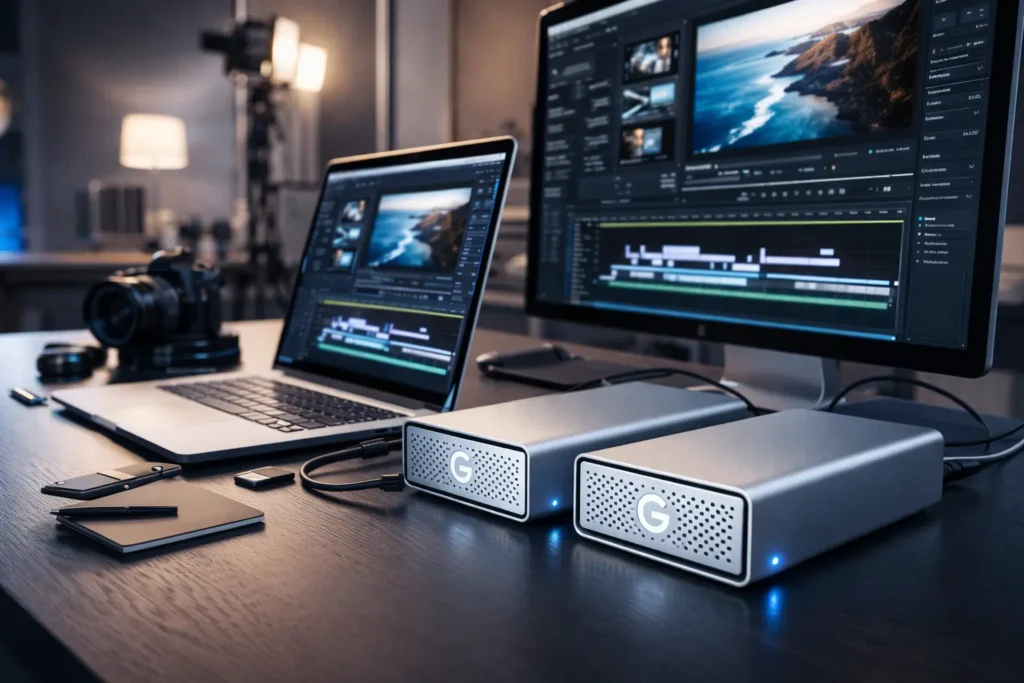
If you’ve been searching for G-Technology storage, you may have noticed the brand name has evolved. What began as G-Technology — a California-born pioneer in professional storage — now lives on under the G-DRIVE brand, backed by Western Digital and distributed under the SanDisk Professional umbrella. The core mission, however, has never changed: delivering the most reliable, high-performance storage on the planet for creative professionals.
Whether you’re a solo documentary filmmaker, a post-production studio managing terabytes of 8K footage, or a commercial photographer backing up thousands of RAW files, G-DRIVE has a solution engineered for your workflow. This comprehensive guide walks you through every product in the portfolio, explains which drive is right for your needs, and answers the questions that matter most before you buy.
Why G-Technology? Built for the Demands of Modern Creators
The storage requirements of today’s creative professionals are nothing short of extreme. A single day of 8K RAW video production can generate hundreds of gigabytes. A broadcast team managing multi-camera VR production may need to stream and write several 4K feeds simultaneously in real time. Consumer-grade drives simply aren’t built for this.
G-Technology was founded specifically to close that gap. Since its acquisition by Western Digital, the technology has only gotten stronger, incorporating enterprise-class components — the same Ultrastar hard drives found in data centers — into enclosures designed for film sets, edit bays, and on-location shoots.
Here’s what sets G-DRIVE apart from ordinary consumer external drives:
- Enterprise-class Ultrastar drives running at 7200RPM for maximum throughput on pro models
- Precision-machined aluminum enclosures that dissipate heat better than plastic alternatives
- Thunderbolt 3 interfaces delivering up to 40Gbps on high-end RAID configurations
- Hardware RAID controllers (not software RAID) for true performance and redundancy
- Rugged, IP54-rated options for professionals who work in the field
- Up to 5-year limited warranties on select models, reflecting genuine confidence in durability
The G-DRIVE Portfolio: Choosing the Right Drive for Your Workflow
The G-DRIVE lineup spans a wide range of use cases, from a lightweight portable backup drive you can toss in a camera bag to a rackmount-ready RAID array capable of storing over 200 terabytes. Understanding the categories makes choosing the right model far simpler.
The portfolio breaks down into three primary categories: portable drives for mobile professionals, desktop drives for studio-based workflows, and enterprise RAID systems for high-capacity team environments.
For On-the-Go Workflows: Portable G-DRIVE SSDs & HDDs
Mobile professionals — photographers traveling between locations, videographers shooting on set, journalists working in the field — need storage that can keep up without slowing them down. The portable G-DRIVE lineup is built for exactly this scenario.
All portable G-DRIVE models ship Mac-ready, pre-formatted with HFS+ for instant Time Machine compatibility right out of the box. Every drive features a USB-C interface, making them compatible with the latest MacBooks, Windows laptops, and even iPad Pro via the USB-C port. For photographers shooting tethered or videographers dumping footage between takes, the ability to plug into an iPad without an adapter is a genuine workflow advantage.
Key benefits of portable G-DRIVE models include:
- Plug-and-play Mac compatibility — no formatting or drivers required
- USB-C connectivity for universal device support including iPad
- Compact, lightweight form factors that fit in any bag
- Capacities up to 6TB on portable HDD models — sufficient for most day shoots
G-DRIVE ArmorATD: The Ultimate Rugged External Drive
For professionals who work outside the controlled environment of a studio, the G-DRIVE ArmorATD (All-Terrain Drive) is the standout choice in the portable lineup. It is purpose-built for the real world — and that means actual certification, not just marketing language.
The ArmorATD carries an IP54 rating for weather resistance, meaning it is protected against dust ingress and splashing water from any direction. It is crush-resistant, capable of withstanding significant pressure without compromising data integrity. The drive has also been drop-tested to survive real-world accidents — a slip on a wet dock, a knock off a tailgate, or a tumble down a hillside during a trail shoot.
Available in capacities up to 6TB, the ArmorATD handles portable backup and field storage for even the most demanding shooting schedules. The reinforced rubber bumper and internal shock-absorbing design wrap a standard USB-C drive in a level of protection previously reserved for much bulkier, more expensive options.
Who should buy the G-DRIVE ArmorATD?
- Wildlife and adventure photographers shooting in harsh environments
- Documentary and news videographers working in unpredictable field conditions
- Any professional who transports drives regularly and can’t afford data loss from physical damage
For the Edit Bay: High-Performance Desktop & RAID Solutions
When you’re sitting at a workstation in a studio or post-production house, portability takes a back seat to performance. The G-DRIVE desktop and RAID solutions are engineered to deliver the sustained read and write speeds that real-time 4K, 8K, and VR editing workflows demand — without the bottlenecks that plague consumer drives.
The desktop G-DRIVE models use 7200RPM Ultrastar enterprise drives paired with Thunderbolt 3 interfaces. This combination is critical: Thunderbolt 3’s 40Gbps bandwidth isn’t a gimmick here — it directly enables simultaneous multi-stream video editing without dropped frames or buffering, even with uncompressed or minimally compressed footage.
For editors working in DaVinci Resolve, Adobe Premiere Pro, or Avid Media Composer with high-bitrate media, the performance difference between a desktop G-DRIVE and a consumer USB drive is immediately perceptible. Scrubbing through a 4K timeline becomes fluid. Rendering exports accelerate. The drive stops being a bottleneck and becomes invisible — which is exactly what great storage should be.
G-RAID PROJECT 2 & SHUTTLE Series: Scalable Power for Teams
For studios, broadcast teams, and post-production houses that need serious capacity alongside serious performance, the G-RAID PROJECT 2 and G-RAID SHUTTLE series represent the top of the G-DRIVE lineup.
The G-RAID PROJECT 2 is a two-bay desktop RAID enclosure powered by dual Ultrastar drives at 7200RPM. Its RAID 0 configuration stripes data across both drives, delivering the combined speed of both disks — ideal for real-time editing of high-bitrate media. It connects via Thunderbolt 3 and supports daisy-chaining, so you can expand your storage ecosystem without adding dongles or hubs. Capacities scale up to 36TB, providing ample room even for long-form production projects.
The G-RAID SHUTTLE 4 and G-RAID SHUTTLE 8 push capacity into truly colossal territory. The 4-bay SHUTTLE reaches up to 104TB, while the 8-bay SHUTTLE 8 tops out at an extraordinary 208TB of raw storage. Both use hardware RAID controllers — not software RAID — for genuine performance and data protection without placing the load on your workstation’s CPU. The transportable design means a production company can move an entire project’s footage archive between facilities without decanting hundreds of individual drives.
Key specifications for RAID series drives:
- G-RAID PROJECT 2: Up to 36TB, Thunderbolt 3, RAID 0/1, 7200RPM Ultrastar, daisy-chain support
- G-RAID SHUTTLE 4: Up to 104TB, hardware RAID, transportable chassis, Thunderbolt 3
- G-RAID SHUTTLE 8: Up to 208TB, hardware RAID, multi-stream 4K/8K/VR ready, enterprise-class drives
- 5-year limited warranty across the RAID series — one of the longest in the industry
G-DRIVE Portfolio at a Glance: Model Comparison
The table below summarizes the key specifications across the main G-DRIVE product lines to help you identify the best fit for your workflow at a glance.
| Feature | G-DRIVE (Desktop) | G-DRIVE ArmorATD | G-RAID PROJECT 2 | G-RAID SHUTTLE 8 |
| Capacity | Up to 18TB | Up to 6TB | Up to 36TB | Up to 208TB |
| Interface | USB-C / USB 3.0 | USB-C / USB 3.0 | Thunderbolt 3 | Thunderbolt 3 |
| RAID | No | No | RAID 0/1 | Hardware RAID |
| Rugged / IP Rating | No | IP54 rated | No | No |
| Mac-Ready | Yes | Yes | Yes | Yes |
| Drive Speed | 5400RPM | 5400RPM | 7200RPM Ultrastar | 7200RPM Ultrastar |
| Warranty | 3-year | 3-year | 5-year | 5-year |
| Best For | General backup & storage | Field shoots, travel | Edit bay, studio | Large teams, multi-stream |
G-DRIVE vs. The Competition: Why Choose G-Technology?
The professional storage market has no shortage of options. LaCie, OWC, CalDigit, and others all compete for the attention of creative pros. So why does G-DRIVE consistently earn the trust of broadcast studios, feature film post-production houses, and professional photographers worldwide?
The answer comes down to the combination of components, ecosystem integration, and warranty commitment that no other brand consistently delivers across its entire lineup.
| Category | G-Technology / G-DRIVE | Generic Consumer Drive |
| Drive Components | Enterprise-class Ultrastar HDDs (7200RPM) | Consumer-grade SMR drives (5400RPM) |
| Enclosure Design | Aluminum chassis with thermal management | Plastic casing, limited heat dissipation |
| RAID Options | Hardware RAID (SHUTTLE series) or configurable RAID 0/1 | Software RAID only, if available |
| Mac Ecosystem | Pre-formatted HFS+, Time Machine ready | exFAT / NTFS, requires reformatting for Mac |
| Interface | Thunderbolt 3 (up to 40Gbps) on pro models | USB 3.0 / USB-A (up to 5Gbps) |
| Warranty | 5-year limited (select models) | 1–2 year standard |
| Target User | Professional creators, studios, broadcast teams | General consumers, casual use |
The practical impact of these differences is most apparent in demanding scenarios. An editor cutting a feature documentary in 8K on a MacBook Pro connected to a G-RAID PROJECT 2 via Thunderbolt 3 will experience fluid playback and zero read/write contention. The same workflow on a consumer USB drive will result in dropped frames, stuttered playback, and export times that can turn hours of work into a frustrating wait.
Getting Started with Your G-DRIVE
One of G-DRIVE’s key selling points is its Mac-ready, out-of-the-box experience. Every drive ships pre-formatted in HFS+ (Mac OS Extended), meaning you can connect it to a Mac and begin using it immediately — no software installation, no reformatting, no setup wizard.
For Windows users, G-DRIVE models can be reformatted to exFAT (cross-platform compatibility) or NTFS (Windows-native). The reformatting process takes a matter of minutes using Disk Management on Windows or Disk Utility on Mac. Note that reformatting will erase all data on the drive, so do this before transferring any files.
How to Set Up Your G-DRIVE for Time Machine on Mac
Time Machine is macOS’s built-in automatic backup system, and because G-DRIVE ships in HFS+ format, setting it up is remarkably simple:
- Connect your G-DRIVE to your Mac using the included USB-C cable.
- macOS will detect the drive and prompt you: “Do you want to use [drive name] to back up with Time Machine?” Click “Use as Backup Disk.”
- If the prompt doesn’t appear automatically, open System Settings (or System Preferences on older macOS), navigate to Time Machine, and click “Add Backup Disk.”
- Select your G-DRIVE from the list of available disks and click “Set Up Disk.”
- Time Machine will perform its first backup automatically — typically within a minute of setup. Subsequent backups occur hourly in the background.
For best results, dedicate a G-DRIVE exclusively to Time Machine rather than splitting it between backup and media storage. This keeps your backup clean and ensures Time Machine has uninterrupted write access.
faqs
What is the difference between G-Technology and G-DRIVE?
G-Technology was the original brand name for this line of professional storage products. Following Western Digital’s acquisition, the product line was rebranded under the G-DRIVE name and is now marketed through SanDisk Professional. The drives themselves retain the same enterprise-class engineering and professional focus — only the brand identity has changed.
Are G-DRIVE drives compatible with my PC or only Mac?
G-DRIVE drives ship pre-formatted for Mac (HFS+), but all models are fully compatible with Windows after reformatting to NTFS or exFAT. The reformatting process takes only a few minutes using Windows Disk Management. The hardware itself is platform-agnostic — the USB-C and Thunderbolt 3 interfaces work identically on both Mac and Windows systems.
Is the G-DRIVE ArmorATD really waterproof and drop-proof?
The ArmorATD carries an IP54 rating. This means it is certified to resist dust ingress and splashing water from any direction — but it is not rated for full submersion. “Splash-proof” is the accurate description, not “waterproof.” For drop protection, the drive has been tested against real-world drops onto hard surfaces. While no drive is indestructible, the ArmorATD’s rubber bumper and internal shock absorption significantly reduce the risk of data loss from accidental impacts.
What is RAID and why do I need it for video editing?
RAID (Redundant Array of Independent Disks) is a technology that combines multiple hard drives into a single logical unit. For video editing, the most relevant configuration is RAID 0, which “stripes” data across two or more drives simultaneously. This means the system can read and write at the combined speed of all drives — a two-drive RAID 0 can theoretically double your sequential transfer speed compared to a single drive. For editors working with high-bitrate 4K or 8K footage, RAID 0 is the difference between smooth, uninterrupted playback and dropped frames.
What is the warranty on G-Technology / G-DRIVE products?
Warranty terms vary by model. Portable G-DRIVE models typically include a 3-year limited warranty. The G-RAID PROJECT 2 and G-RAID SHUTTLE series carry a 5-year limited warranty — one of the most generous in the professional storage category. Always verify the specific warranty terms for your model on the Western Digital / SanDisk Professional website, and retain your proof of purchase.
Can I use a G-RAID SHUTTLE or G-DRIVE with my iPad Pro?
The G-DRIVE ArmorATD and standard portable G-DRIVE models with USB-C connectivity are compatible with iPad Pro models featuring a USB-C or Thunderbolt port. The iPad Pro must be running iPadOS 13 or later to mount external storage natively in the Files app. The G-RAID SHUTTLE series, being a Thunderbolt 3 desktop RAID system, is not designed for iPad use and requires a Mac or Windows workstation.
Does G-Technology offer data recovery services?
Western Digital, the parent company behind G-DRIVE, offers data recovery services for failed or damaged drives through authorized service partners. For professional productions where the loss of footage would be catastrophic, pairing your G-DRIVE with a RAID configuration (like the G-RAID PROJECT 2 in RAID 1 mirroring mode) or a cloud backup strategy provides an additional layer of protection before recovery services are ever needed.
Where can I find drivers or software for my G-DRIVE?
Most G-DRIVE products are plug-and-play on both Mac and Windows — no drivers are required. For RAID management on the G-RAID SHUTTLE series, Western Digital provides the WD RAID Manager utility available through the SanDisk Professional support pages. Always download software directly from the official Western Digital or SanDisk Professional website to ensure you receive authentic, up-to-date utilities.
What is the real-world read/write speed of the G-RAID PROJECT 2?
Sequential read and write speeds vary based on your computer’s Thunderbolt 3 controller, the RAID configuration, and the type of data being transferred. In RAID 0 with Thunderbolt 3, the G-RAID PROJECT 2 is capable of sustained sequential reads in excess of 500MB/s under optimal conditions — sufficient for multi-stream 4K editing and smooth 8K playback. Real-world speeds with mixed file sizes will be somewhat lower. For the most current benchmarks, refer to independent reviews from outlets such as B&H Photo, Videomaker, or Wirecutter.
Protect Your Investment: Warranty, Support & Data Recovery
For creative professionals, storage is not just a peripheral — it’s the vessel for irreplaceable work. A failed drive at the wrong moment can mean the loss of days, weeks, or months of creative output. Choosing a drive backed by strong warranty terms, responsive support, and genuine enterprise-grade components is a form of professional risk management.
The G-RAID SHUTTLE and G-RAID PROJECT 2’s 5-year limited warranty reflects Western Digital’s confidence in the Ultrastar drives that power these systems. Ultrastar drives are designed for 24/7 continuous operation in data center environments — the demands of even the most active post-production studio are well within their operational parameters.
For additional peace of mind, consider these best practices:
- Always maintain a 3-2-1 backup strategy: 3 copies of your data, on 2 different media types, with 1 copy offsite or in the cloud.
- Buy direct from Western Digital or authorized resellers to ensure you receive genuine products with valid warranty coverage — third-party marketplace listings can include gray-market or counterfeit units.
- Register your drive after purchase to simplify any future warranty claims.
- Western Digital’s 30-day return policy on direct purchases provides a short window to test the drive’s compatibility with your specific workflow before committing fully.
The Bottom Line: G-DRIVE Is Professional Storage, Full Stop
The G-DRIVE portfolio — carrying forward the legacy of G-Technology — remains the gold standard for external storage in professional creative workflows. From the battle-hardened ArmorATD that goes wherever your shoot takes you, to the colossal G-RAID SHUTTLE 8 that anchors a multi-editor post-production facility, every product in the lineup is built with one purpose: to ensure your work is safe, accessible, and never the reason a deadline is missed.
Choosing the right model is ultimately about matching capacity, interface, and form factor to your specific workflow. A solo travel photographer needs something different from a broadcast team editing in real time. The portfolio addresses both — and everything in between — with the same commitment to enterprise-class reliability that has made G-Technology a trusted name on film sets and in edit bays around the world.
If you have more questions about specific models or need a personalized recommendation, the SanDisk Professional support team and the Western Digital product pages provide detailed specifications, current pricing, and compatibility information for every drive in the G-DRIVE lineup.

Adrian Cole is a technology researcher and AI content specialist with more than seven years of experience studying automation, machine learning models, and digital innovation. He has worked with multiple tech startups as a consultant, helping them adopt smarter tools and build data-driven systems. Adrian writes simple, clear, and practical explanations of complex tech topics so readers can easily understand the future of AI.