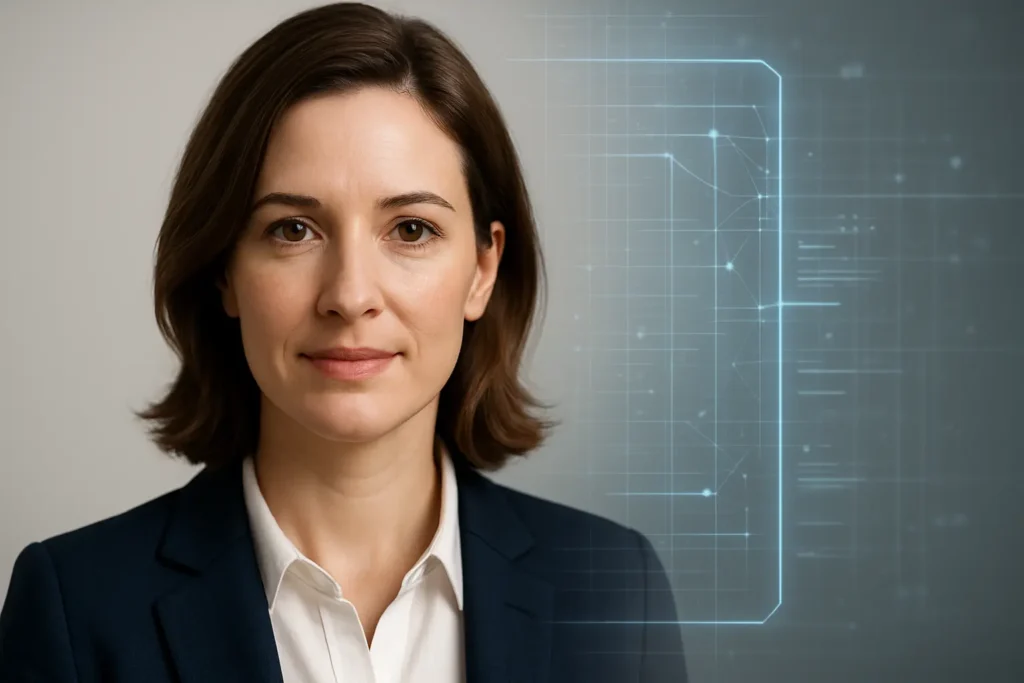
If you’ve ever needed a professional headshot, you already know the pain. Booking a photographer, finding the right outfit, stressing about lighting, and then waiting days (or weeks) for edited photos — all for one image you’ll use on LinkedIn, a company website, or a speaker bio. That’s exactly why searches for the best AI headshot generator have exploded.
I first turned to AI headshots out of pure frustration. I needed a clean, professional photo for a client-facing project, but I didn’t have time to schedule a shoot or the budget for a studio session. What surprised me wasn’t just that AI could do it — it was how good the results had become when using the right tools correctly.
In this guide, I’ll walk you through everything you need to know about choosing and using the best AI headshot generator in 2025. We’ll cover how these tools work, who they’re best for, real-world use cases, step-by-step instructions, honest tool comparisons, common mistakes, and practical fixes. By the end, you’ll know exactly which option fits your needs — and how to get headshots that look like they were taken by a pro, not a robot.
What Is an AI Headshot Generator (And How It Actually Works)
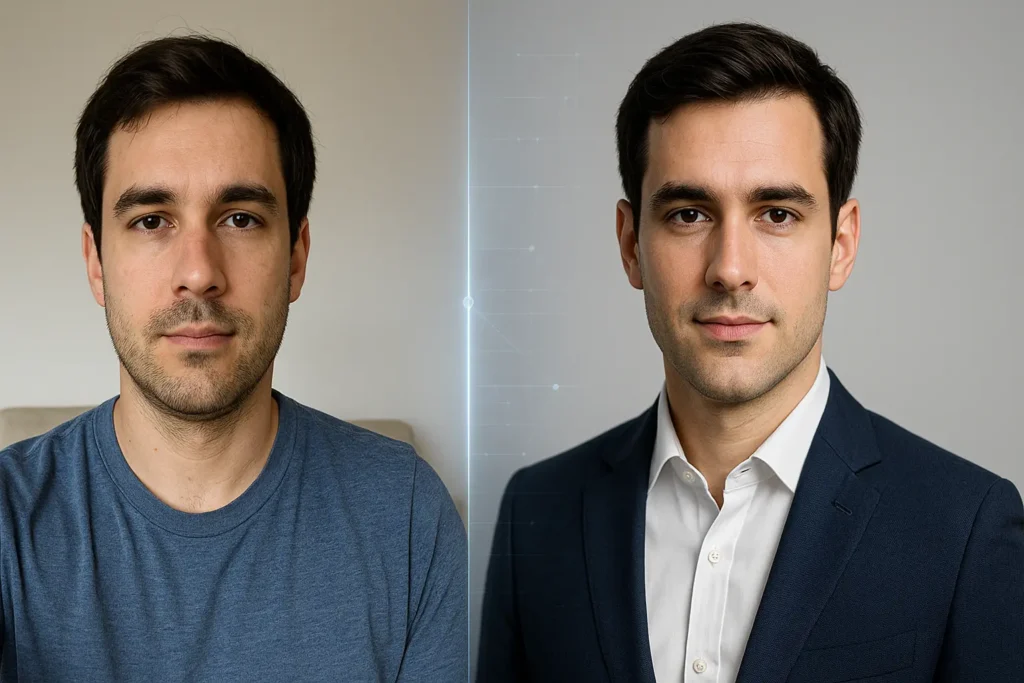
At its core, an AI headshot generator is software that creates professional-looking portrait photos using artificial intelligence. Instead of taking a new photo with a camera, these tools analyze images you upload and generate realistic headshots based on learned facial features, lighting patterns, and photographic styles.
A helpful way to think about it is this: traditional photography captures one moment in time. An AI headshot generator builds a digital understanding of your face and then recreates you in different environments, outfits, and lighting setups — without you ever stepping in front of a camera again.
Most of the best AI headshot generators use advanced diffusion models and facial recognition algorithms. Here’s the simplified process:
- You upload multiple photos of yourself (usually 8–20).
- The AI maps your facial structure, skin tone, expressions, and proportions.
- It applies professional photography styles such as studio lighting, corporate backdrops, or lifestyle environments.
- The system generates dozens (sometimes hundreds) of new headshots that resemble you closely.
What separates the best AI headshot generator from mediocre ones is realism. High-quality tools preserve subtle details — natural skin texture, accurate eye alignment, believable shadows — instead of producing plastic-looking or uncanny results.
For beginners, the appeal is simple: no cameras, no photographers, no awkward posing. Just upload photos and let the AI do the heavy lifting.
Benefits and Use Cases of the Best AI Headshot Generator
The biggest advantage of using the best AI headshot generator isn’t just convenience — it’s accessibility. Professional imagery used to be a luxury. Now it’s something nearly anyone can afford and access within hours.
One major benefit is cost savings. A traditional headshot session can cost anywhere from $150 to $500 (or more), especially in major cities. AI generators typically range from free trials to $20–$60 one-time fees. For startups, freelancers, and remote teams, that difference adds up fast.
Another huge benefit is speed. Instead of waiting days for scheduling and editing, AI headshot generators often deliver results within minutes or hours. This is especially valuable when you need a photo quickly for a job application, media feature, or client proposal.
Common real-world use cases include:
- LinkedIn profile photos for job seekers and professionals
- Team headshots for remote or distributed companies
- Author bios for writers, bloggers, and content creators
- Speaker profiles for conferences and webinars
- Personal branding for coaches, consultants, and solopreneurs
- Dating app photos (with realistic styles, not over-edited looks)
Who benefits most from the best AI headshot generator? Remote workers, introverts who hate photo shoots, founders on tight budgets, and anyone who needs multiple looks without multiple sessions. When used properly, these tools don’t replace photographers — they replace unnecessary friction.
How to Use the Best AI Headshot Generator Step by Step
Getting great results isn’t just about choosing the right tool — it’s about using it correctly. I’ve seen people get wildly different outcomes from the same generator simply because they skipped best practices.
Here’s a proven, step-by-step approach that consistently delivers strong results.
First, gather the right source photos. This step matters more than anything else. Upload clear, well-lit images where your face is fully visible. Natural light near a window works perfectly. Include a mix of expressions and angles, but avoid sunglasses, hats, heavy filters, or group photos.
Second, choose a generator that matches your goal. Some tools specialize in corporate headshots, while others lean toward creative or lifestyle portraits. If your goal is LinkedIn or business use, select professional presets rather than artistic styles.
Third, select your styles intentionally. Most tools let you choose backgrounds, outfits, and lighting. Less is more. Pick clean, neutral backgrounds and classic clothing options. These age better and look more authentic.
Fourth, review and refine the outputs. Don’t expect every image to be perfect. Even the best AI headshot generator will produce a few misses. Download the top 3–5 images that look the most natural and consistent with how you actually look.
Finally, do light touch-ups if needed. Cropping, minor color correction, or background cleanup can elevate a good AI headshot into a great one. Avoid heavy retouching — realism is your biggest asset.
Best AI Headshot Generator Tools Compared (Free vs Paid)
Not all tools are created equal, and “best” depends heavily on your needs. After testing and reviewing multiple platforms, clear patterns emerge.
Paid AI headshot generators generally offer better realism, more styles, and stronger privacy protections. They also tend to train models more carefully, resulting in fewer distorted facial features.
Popular paid options usually offer:
- High-resolution downloads
- Professional business-focused styles
- Faster processing times
- Better facial accuracy
- Commercial usage rights
Free AI headshot generators can be useful for experimentation, but they often come with limitations:
- Watermarked images
- Lower resolution outputs
- Fewer style options
- Less realistic skin textures
- Data usage concerns
For professionals, freelancers, and job seekers, paid tools are almost always worth it. The difference between “this looks AI-generated” and “this looks like a real studio photo” is usually $20–$40.
If you’re just testing the concept, start with a free tool to understand the workflow. Once you know what you want, upgrading to a premium option gives you far better results.
How to Choose the Best AI Headshot Generator for Your Needs
Choosing the best AI headshot generator isn’t about chasing the most features — it’s about alignment with your specific use case.
If you need corporate or LinkedIn photos, prioritize tools that focus on professional lighting, neutral backgrounds, and realistic facial detail. Avoid generators that lean heavily into stylized or artistic looks.
If you’re a creator or entrepreneur, versatility matters more. Look for generators that offer multiple environments, wardrobe options, and consistent output quality across styles.
Privacy is another key factor. Reputable tools clearly state how long they store your images and whether they use them for model training. If that matters to you (and it should), read the fine print.
Finally, consider output control. The best AI headshot generator lets you regenerate images, tweak styles, or upload additional photos to improve results. One-click tools are convenient, but flexibility usually leads to better outcomes.
Common Mistakes People Make (And How to Fix Them)
The most common mistake is uploading poor-quality source images. Blurry photos, harsh lighting, or extreme angles confuse the AI and lead to unnatural results. Fix this by using simple, well-lit photos with neutral expressions.
Another frequent issue is choosing unrealistic styles. Dramatic lighting, fashion-editorial looks, or overly polished skin often scream “AI.” Stick to subtle, professional presets unless you intentionally want a creative look.
People also expect perfection from the first batch. Even the best AI headshot generator needs iteration. If results feel off, upload more photos or adjust style selections rather than abandoning the tool entirely.
Finally, many users over-edit the final image. Heavy filters, skin smoothing, or face reshaping undo the realism AI worked hard to create. Minimal adjustments always win.
Are AI Headshots Ethical and Acceptable for Professional Use?
This question comes up a lot — and it’s a fair one. In most professional contexts, AI headshots are completely acceptable as long as they accurately represent you.
Problems arise when people use AI-generated images that significantly alter their appearance. That’s not an AI issue — it’s a misrepresentation issue. The best AI headshot generator should make you look like the best version of yourself, not a different person.
Many companies, recruiters, and platforms already accept AI headshots without issue, especially for remote roles. Transparency matters less than authenticity. If the image looks like you on a good day, you’re using the tool responsibly.
Conclusion
The rise of AI headshots isn’t about replacing photographers — it’s about removing barriers. When used thoughtfully, the best AI headshot generator saves time, lowers costs, and gives people access to professional imagery they might otherwise skip altogether.
The key is intention. Choose the right tool, upload quality photos, stick to realistic styles, and treat the output like a professional asset — not a gimmick. Do that, and you’ll end up with headshots that feel natural, credible, and genuinely useful.
If you’ve been putting off updating your profile photo, this is your sign. Try one tool, follow the best practices in this guide, and see how far AI headshots have come.
FAQs
What is the best AI headshot generator for LinkedIn?
The best AI headshot generator for LinkedIn is one that focuses on professional lighting, neutral backgrounds, and realistic facial details rather than artistic effects.
Are AI headshot generators safe to use?
Reputable platforms are generally safe, especially those with clear privacy policies and automatic image deletion after processing.
Can AI headshots replace professional photography?
For many use cases like LinkedIn, websites, and bios, yes. For high-end branding or editorial work, traditional photography still has advantages.
How many photos do I need to upload?
Most tools require 8–20 photos for best results. More variety usually leads to better accuracy.
Do AI headshots look realistic?
When using the best AI headshot generator and proper source images, results can be surprisingly realistic

Adrian Cole is a technology researcher and AI content specialist with more than seven years of experience studying automation, machine learning models, and digital innovation. He has worked with multiple tech startups as a consultant, helping them adopt smarter tools and build data-driven systems. Adrian writes simple, clear, and practical explanations of complex tech topics so readers can easily understand the future of AI.