
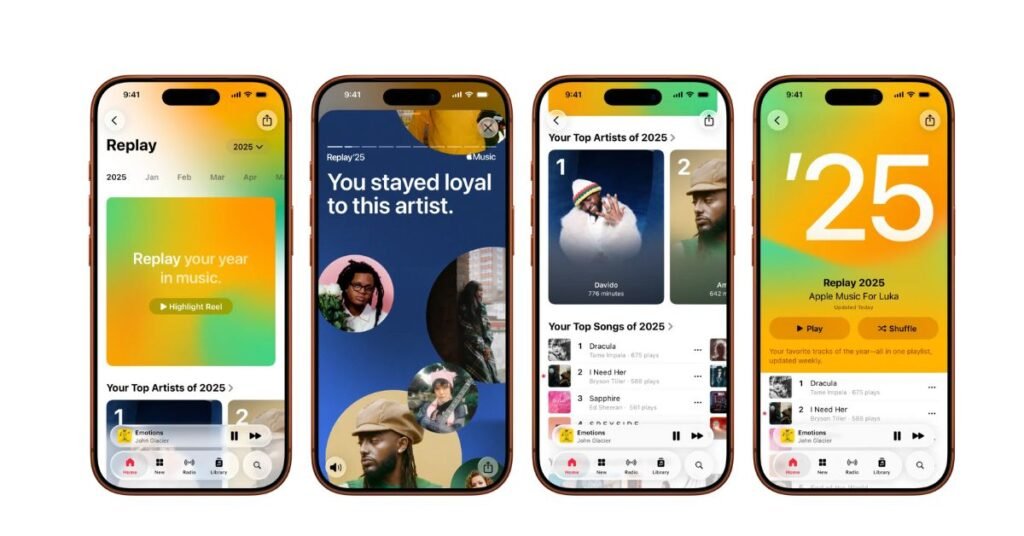
Imagine this: you’re curled up on the couch with a cup of chai, the cold December breeze whispering outside, and you decide to dig into your music habits over the past year. Maybe you discover you played one song on repeat every rainy evening, or that your “discoveries” playlist led you down a wild rabbit hole of new artists. That’s exactly the kind of moment that makes Apple Music Replay — your “year in sound” — feel like a mini time capsule.
If you’ve ever wondered which songs, albums, and artists defined your 2025, Replay makes it crystal clear. In this post, I’ll walk you through what Replay is, how to get it, why it matters — and how to avoid common pitfalls.
What is Apple Music Replay (aka “Wrapped” for Apple Users)
- Apple Music Replay is a personalized recap offered by Apple Music — similar in spirit to Spotify Wrapped.
- It gathers data from your listening history: how often you played songs, how much time you spent listening, which artists/genres you gravitated toward, and more.
- Replay isn’t just a one-day thing — a “Replay playlist” is updated throughout the year with your top 100 songs, and monthly stats are also available.
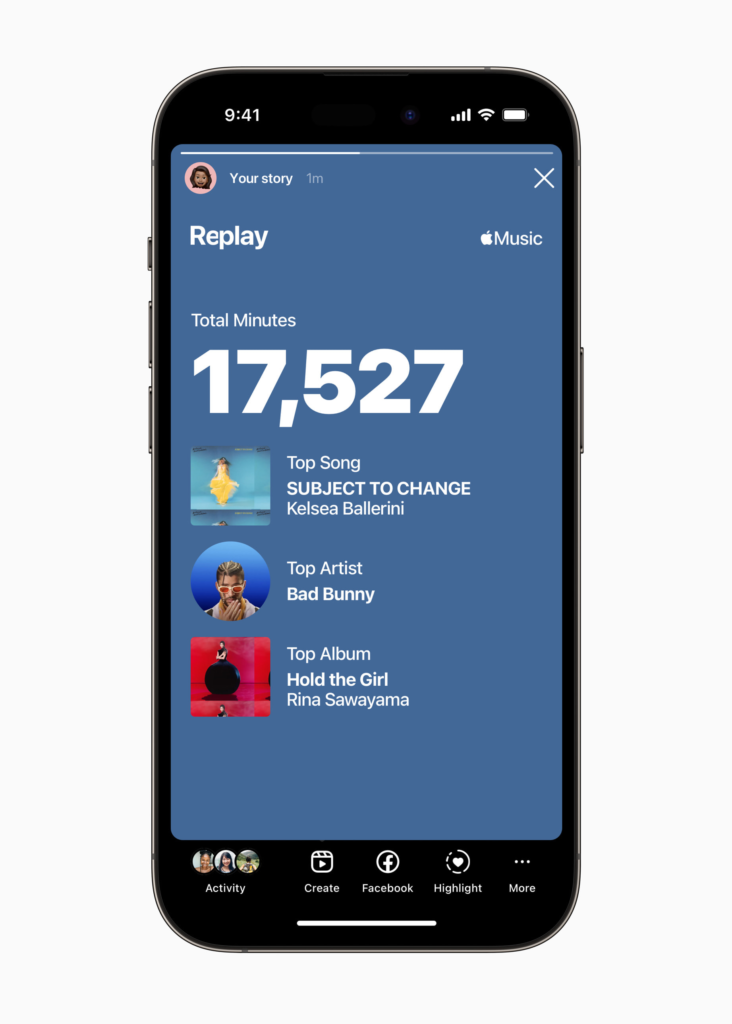
- At year’s end, you get a full summary: top songs, artists, albums, genres, playlists (or stations), total minutes listened, new discoveries, loyal favorites, and even comebacks — artists you returned to after a hiatus.
In December 2025, Replay dropped — letting Apple Music users take a fun, reflective stroll through their musical year.
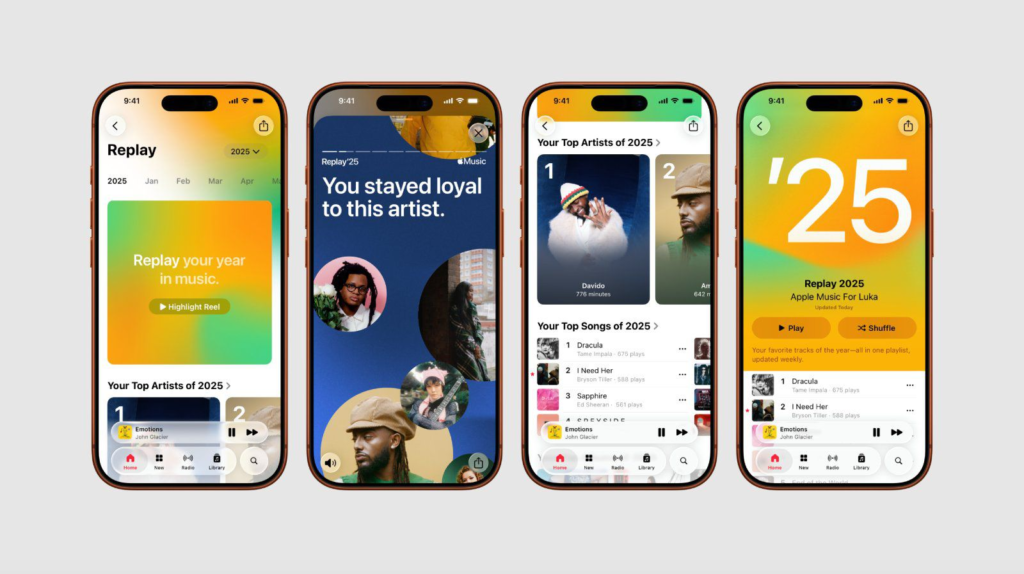
How to Get Your Replay: Step-by-Step Guide
If you’re ready to see your own “year in music,” here’s how:
- Make sure your Apple Music app is updated on your iPhone, iPad, Mac, Android, or whichever device you use.
- Open the app and go to the Home tab. Scroll down and look for the section labeled “Replay: Your Top Music.”
- If you prefer a desktop or web view, go to replay.music.apple.com and sign in with the same Apple Account linked to your subscription.
- Click “Jump In” (or “Go back in time” on mobile) to open your Replay dashboard. There you can:
- View your year-end highlight reel — a visual + audio recap of your top songs.
- Scroll through monthly breakdowns, or see your listening stats across the entire year — top artists, albums, genres, and total listening time.
- Listen to the automatically created Replay playlist (top 100 songs), or even an “All-Time” playlist (if you’ve been using Apple Music for years).
- Share your stats / highlight reel on social media if you want to show off your 2025 soundtrack.
ALSO READ: Leveraging AI to Write Engaging Blog Posts: A Friendly Guide for Modern Content Creators
Why Use Apple Music Replay: Real Benefits & Use Cases
Why does Replay matter — beyond just being a fun year-end recap? Here are some solid reasons:
- Self-reflection & nostalgia — You learn which songs, artists, or genres truly shaped your 2025. It’s like a personal time capsule.
- For example: maybe you spent hours listening to chill lo-fi beats on rainy nights, or re-discovered a childhood band and couldn’t get enough. Replay makes that visible.
- Discover listening patterns — See which genres you gravitate toward, how much total time you spent on music, and whether your taste changed over months.
- This can help you build better playlists — maybe a “Year 2026 Mood Mix” based on your 2025 listening habits.
- Share & compare with friends — Many people love posting their Wrapped / Replay results on social media — a fun conversation starter about music tastes.
- Artist/deeper fan engagement — As a listener, you can see which artists you listened to the most or discovered new. For artists (or aspiring ones), Replay data can hint at listener growth or loyalty.
- Long-term tracking — Especially if you’ve used Apple Music for years: with “All-Time Replay” (introduced for the 10-year mark), you can watch how your music taste evolves over time.
What’s New in 2025’s Replay — and What Others Are Listening To
- In the global list of most-streamed songs of 2025 (on Apple Music), the top spot was claimed by ROSÉ & Bruno Mars with their hit APT..
- The feature now includes special categories beyond just “top songs and artists” — such as: Discovery (new artists you found), Loyalty (artists you kept returning to), and Comebacks (artists you revisited after a break).
- Replay 2025 launched before its counterpart from other platforms — offering users the first chance to see their year-end recap.
These broad global charts offer fun context: if your top song ended up among the global most-streamed, you knew you weren’t alone; if it’s more niche, that might feel even more personal and special.
Common Mistakes & What to Watch Out For
- Not seeing Replay? If your listening history was off or you didn’t listen enough, the Replay section might not appear.
- Expecting too much depth too fast. Replay updates gradually throughout the year; early in the year, you may only see basic playlists. The full year-end recap drops only once per year.
- Assuming album plays match song plays. If you often listen to individual songs in playlists rather than entire albums, your “top songs” may skew differently from “top albums” — but that’s just how Replay measures it.
- Privacy / listening history concerns. If you share your account or use a family plan, stats might mix multiple listeners. For the cleanest results, using your personal account works best.
Tips & Tricks to Get the Most Out of Replay
- Use Replay monthly. Check the monthly stats (not just year-end) to track how your listening changes over the year — perfect for spotting seasonal shifts or new habits.
- Turn on listening history from day one. The more data you build up, the more meaningful your Replay becomes. If you switch off listening history occasionally, those gaps might show as “silent months.”
- Share thoughtfully. If you post your Replay on social media, consider also writing a short caption: e.g. “2025 = chill playlists & late-night driving songs.” Adds personality beyond just numbers.
- Create a “Year in Music” playlist. Use your Replay top-songs to build a playlist that reflects your 2025 — great for revisiting memories later or for sharing with friends.
- Compare across years. If you’ve used Apple Music for multiple years, check past Replays. You might be surprised how your taste has evolved (or stayed blissfully the same).
Final Thoughts — Why Apple Music Replay is Worth Checking Out
At its heart, Apple Music Replay is more than just stats. It’s a snapshot of your musical journey over the year — what you loved, what you discovered, what you returned to again and again. It’s nostalgia and insight wrapped in one.
Whether you’re an avid musicphile, a casual listener, or someone curious about your own listening habits — Replay turns data into memories. It’s personal, meaningful, and surprisingly fun.
So go ahead, jump in — see your 2025 soundtrack unfold, maybe share a few highlights with friends… and who knows, you might rediscover a forgotten favorite or unearth a brand-new musical obsession.
Frequently Asked Questions (FAQs)
Q: What if I don’t see Apple Music Replay in my app?
A: Make sure you’re signed in with your Apple Music account, your app is updated, and you’ve actually listened to music this year. If listening history was off or you didn’t stream much, Replay might not appear.
Q: Can I get Replay on desktop / web?
A: Yes — just go to replay.music.apple.com and sign in with your Apple ID. The same stats and playlists will appear.
Q: Is Apple Music Replay the same as Spotify Wrapped?
A: Conceptually, yes — both are year-end music recaps. But Replay offers monthly stats, “All-Time” playlists, and often releases slightly earlier.
Q: Can I use Replay if I started Apple Music mid-year?
A: Absolutely. Replay will still show stats based on your listening history — just covering the time you were subscribed.

Hannah Price is a digital journalist who covers breaking news, global events, and trending stories with accuracy and speed. She has previously contributed to several online magazines and has built a reputation for verifying facts before publishing. Hannah believes in responsible reporting and aims to present stories in a way that readers can trust.