Slack as a Collaboration Hub
Slack is a channel-based messaging platform designed to centralize communication and reduce organizational silos. Unlike traditional email or scattered communication tools, Slack organizes conversations into dedicated channels—structured spaces where teams can collaborate on specific projects, topics, or departments.
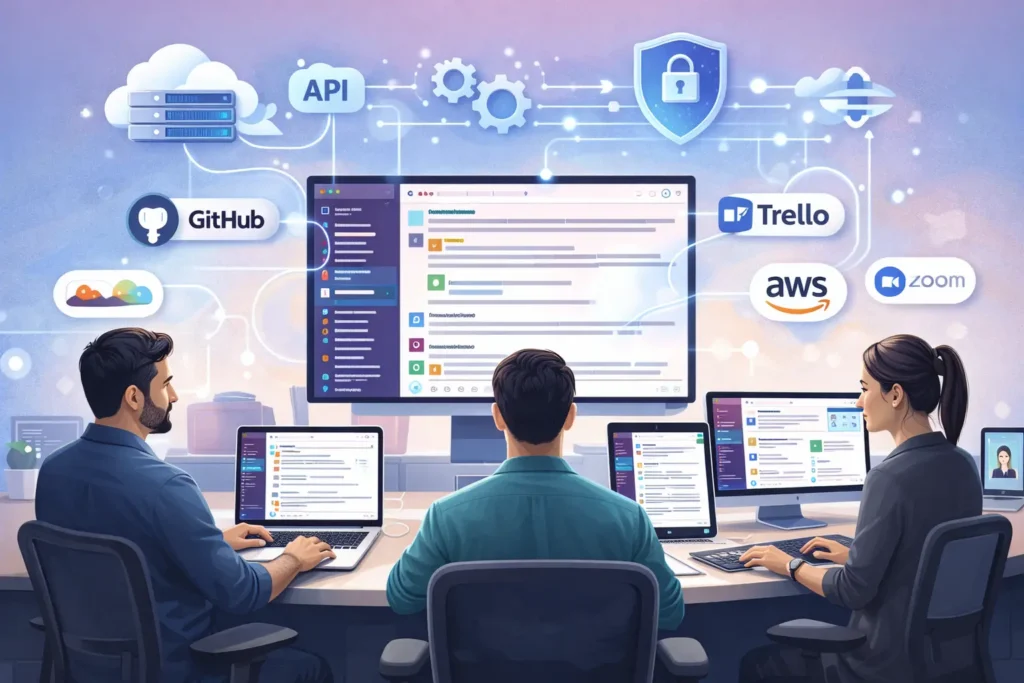
At its core, Slack technology serves as a collaboration hub that brings together people, information, and tools in one unified interface. Teams use Slack to replace fragmented communication across email threads, chat apps, and meeting schedules with organized, searchable, and persistent conversations. This centralization is particularly valuable for IT teams managing complex infrastructure, responding to incidents, and coordinating across multiple stakeholders.
Key collaboration capabilities include:
- Organized channels for teams, projects, and topics with granular permissions
- Direct messaging for one-on-one and small group conversations
- Thread-based discussions that keep conversations focused and reduce noise
- Rich file sharing with preview capabilities for documents, images, and code
- Integrated voice and video calling through huddles for quick sync-ups
- Real-time and asynchronous collaboration across time zones and work schedules
Slack Technologies, Inc.: A Brief Background
Slack Technologies, Inc. was founded in 2013 by Stewart Butterfield, Eric Costello, Cal Henderson, and Serguei Mourachov. Originally developed as an internal communication tool while building a gaming company, Slack quickly evolved into a standalone product that revolutionized workplace collaboration.
The platform launched publicly in 2014 and experienced rapid adoption, particularly among technology companies and distributed teams. In December 2020, Salesforce acquired Slack for $27.7 billion, integrating it into their enterprise software ecosystem while maintaining Slack’s independent brand and product development.
Today, Slack serves hundreds of thousands of organizations worldwide, from small startups to Fortune 100 enterprises, with particular strength in technology, media, financial services, and professional services sectors. The platform continues to evolve with enterprise features, AI capabilities, and expanded integration ecosystem.
Slack’s Technology Stack: The Engineering Behind the App
Understanding Slack’s underlying technology stack helps IT teams appreciate its performance, scalability, and integration capabilities. The platform represents a modern cloud-native architecture built for real-time collaboration at enterprise scale.
Core technology components include:
- Desktop applications built using Electron framework, enabling consistent cross-platform experiences on Windows, macOS, and Linux
- Frontend interface powered by React JavaScript library for responsive, dynamic user experiences
- Backend microservices architecture running on Amazon Web Services (AWS) infrastructure
- Real-time messaging infrastructure leveraging WebSocket connections for instant delivery
- MySQL and Vitess for distributed database management across global data centers
- HAProxy for load balancing and high availability across server clusters
- ElasticSearch for powerful full-text search across messages, files, and integrations
- Custom-built infrastructure for media processing, file storage, and content delivery
This modern technology stack enables Slack to deliver reliable real-time communication while scaling to support organizations with hundreds of thousands of users. The architecture prioritizes uptime, data security, and integration flexibility—critical considerations for enterprise IT deployments.
Core Slack Features for IT & Technology Operations
Channels: Structured Communication for IT Teams
Channels are the foundation of Slack’s organizational model, providing dedicated spaces for different teams, projects, incidents, and topics. For IT teams, strategic channel design reduces alert fatigue and ensures critical information reaches the right people at the right time.
Common IT channel structures include:
- #incident-response for coordinating real-time incident management and war rooms
- #it-alerts for automated monitoring notifications from systems like Datadog, PagerDuty, and Splunk
- #team-infrastructure for infrastructure team coordination and daily operations
- #security-alerts for security monitoring, vulnerability notifications, and threat responses
- #deployments for tracking application releases, database changes, and infrastructure updates
- #vendor-[name] for managing relationships with external technology partners using Slack Connect
Channel management features include granular permissions to control who can post, archive channels, or manage membership. Public channels enable transparency and knowledge sharing across IT, while private channels protect sensitive security discussions or vendor negotiations. Guest access allows limited participation from contractors or vendors without full workspace access.
Integrations: Connecting Your IT Tool Stack
Slack’s integration ecosystem is one of its strongest differentiators for technology teams. With over 2,600 apps in the Slack App Directory and robust APIs for custom integrations, teams can centralize information from their entire tool stack directly into their workflow.
Critical IT integrations include:
- Jira for project tracking, bug management, and sprint planning with inline issue creation and updates
- ServiceNow for IT service management, ticket workflows, and change request approvals
- PagerDuty for incident alerting, on-call scheduling, and escalation management
- Datadog for infrastructure monitoring, APM alerts, and metric visualization
- Splunk for log analysis, security monitoring, and operational intelligence
- GitHub for code review notifications, pull request discussions, and deployment tracking
- Google Workspace and Microsoft 365 for calendar integration, file sharing, and authentication
- Okta for single sign-on, user provisioning, and identity management
- Zoom for seamless video conferencing and meeting scheduling
These integrations reduce context switching by bringing information directly into Slack channels where teams are already collaborating. Rather than monitoring multiple dashboards and tools, IT teams receive relevant notifications, can take action through Slack commands, and maintain conversation history alongside system events.
Custom integrations can be built using Slack’s APIs, enabling unique workflows specific to your organization’s tools and processes. The platform’s webhook support, bot framework, and app building capabilities make it extensible for any technical requirement.
Workflow Builder: Automating Routine IT Tasks
Workflow Builder is Slack’s no-code automation tool that streamlines routine IT tasks without requiring custom development. IT teams use workflows to automate repetitive processes, standardize procedures, and reduce manual work that drains productivity.
Common IT automation workflows include:
- Employee onboarding automation that triggers IT provisioning checklists when HR adds new team members
- Incident declaration workflows that create dedicated channels, notify on-call teams, and populate incident documentation templates
- Access request forms that route permission requests to appropriate approvers with audit logging
- Weekly status report collection that gathers updates from team members automatically
- Alert triage workflows that categorize and route monitoring notifications based on severity
- Change approval processes that require sign-offs before production deployments proceed
Workflows can be triggered by scheduled times, emoji reactions, specific keywords, or integration events. The drag-and-drop builder makes it accessible to non-developers while still offering sophisticated conditional logic and integration with external tools through connectors.
For more advanced automation needs, Slack supports custom apps built with the Bolt framework or integration with workflow automation platforms like Zapier and Workato for complex multi-system orchestration.
Slack Connect for Vendor & External Collaboration
Slack Connect enables secure collaboration with external organizations—vendors, partners, agencies, or clients—directly within Slack channels. This eliminates the need for email threads, scattered communication tools, or separate collaboration platforms when working with external parties.
For IT teams, Slack Connect is particularly valuable for:
- Vendor coordination for software implementations, infrastructure projects, or managed services
- Security incident response with external security vendors or forensics teams
- Cloud provider support channels for faster resolution with AWS, Google Cloud, or Azure support teams
- Partner integrations during joint product development or API implementation projects
- Consultant collaboration when bringing in specialized expertise for migrations or optimization
Security controls for Slack Connect include admin approval requirements for external connections, file sharing restrictions, data loss prevention policies, and visibility into all external channels. Organizations maintain full control over what information employees can share externally while benefiting from real-time collaboration.
Shared channels maintain the same features as internal channels—integrations, workflows, search, and file sharing—creating a seamless experience regardless of organizational boundaries. This is substantially more efficient than traditional vendor communication through email chains or third-party portals.
Key Benefits & Use Cases for Technology Teams
Accelerating Incident Response & Resolution
When systems fail, every second counts. Slack transforms incident response by providing a centralized command center where IT teams can coordinate in real-time, reducing Mean Time to Resolution (MTTR) and minimizing business impact.
Incident management workflows in Slack typically include:
- Automated incident declaration that creates dedicated war room channels when critical alerts fire
- Smart notification routing that pages on-call engineers via PagerDuty integration
- Real-time status updates visible to all stakeholders in a central incident channel
- Live collaboration through huddles for rapid troubleshooting without scheduling meetings
- Integration with monitoring tools like Datadog and Splunk to surface relevant metrics and logs
- Post-incident documentation captured in threads and channel history for retrospective analysis
By consolidating incident communication in Slack, teams avoid the chaos of email threads, separate chat platforms, and scattered updates across multiple channels. The persistent history ensures knowledge is retained and searchable for future incidents with similar symptoms.
Leading organizations report 30-50% reduction in MTTR after implementing Slack-based incident response workflows. The combination of automated alerting, integrated tool context, and real-time collaboration enables faster diagnosis and resolution compared to traditional approaches.
Streamlining IT Service Management (ITSM)
IT service management involves managing IT services across their entire lifecycle—from service requests and incidents to changes and problem management. Slack enhances ITSM by meeting employees where they work rather than forcing them to navigate separate ticketing systems.
ITSM capabilities through Slack include:
- ServiceNow integration for seamless ticket creation, updates, and approvals without leaving Slack
- Self-service request workflows where employees submit IT requests through simple Slack forms
- Approval routing for access requests, hardware orders, or software licenses with audit trails
- Employee onboarding automation that provisions accounts, assigns equipment, and tracks setup progress
- IT support channels where teams can quickly triage issues before creating formal tickets
- Change management processes with stakeholder notifications and approval gates for production changes
This approach dramatically improves employee experience by reducing friction in IT interactions. Instead of navigating complex portals or remembering email addresses, employees simply message in Slack using natural language. IT teams benefit from faster response times and reduced ticket volume for simple requests.
The integration with traditional ITSM platforms like ServiceNow ensures governance and tracking requirements are met while improving the front-end experience. All interactions remain logged in the ITSM system while employees enjoy a conversational interface.
Enhancing Project Coordination & Visibility
Technology projects involve coordination across multiple teams, tracking numerous moving parts, and maintaining visibility for stakeholders. Slack provides the organizational structure and collaboration tools that keep complex IT projects on track.
Project management in Slack typically leverages:
- Dedicated project channels for migration initiatives, infrastructure upgrades, or software deployments
- Jira integration for inline task management and sprint planning without context switching
- Canvas documents for project plans, architecture decisions, and runbook documentation
- Clips for asynchronous video updates that reduce meeting overhead for distributed teams
- Workflow automation for status reports, milestone tracking, and stakeholder updates
- Thread-based discussions that organize technical decisions and keep channel noise manageable
The visibility Slack provides is particularly valuable for executive stakeholders who need project awareness without micromanagement. Leaders can review channel history, receive automated updates, and participate in key decisions without constant status meetings.
For technical teams, having project communication, documentation, and tool integrations in one place reduces the cognitive load of switching between multiple platforms. Engineers spend more time on actual work and less time hunting for information or updating multiple systems.
Slack for IT: Security, Compliance & Administration
Enterprise-Grade Security & Governance
Security is non-negotiable for IT teams handling sensitive infrastructure, customer data, and proprietary information. Slack’s enterprise security features are designed to meet the strictest regulatory and compliance requirements while maintaining usability.
Core security capabilities include:
- Enterprise Key Management (EKM) that gives organizations control over their encryption keys, enabling immediate data revocation if needed
- Data Loss Prevention (DLP) that automatically detects and blocks sharing of sensitive information like credit cards, social security numbers, or custom data patterns
- Comprehensive audit logs capturing all user actions, file access, and administrative changes for security investigations and compliance reporting
- End-to-end encryption options for the most sensitive conversations requiring maximum protection
- Granular content retention policies that automatically archive or delete messages based on regulatory requirements
- Information barriers that prevent specified groups from communicating, meeting compliance needs in financial services and regulated industries
Slack maintains rigorous compliance certifications including:
- SOC 2 Type II and SOC 3 for security, availability, and confidentiality controls
- ISO/IEC 27001 for information security management systems
- HIPAA compliance for healthcare organizations handling protected health information
- FINRA and SEC compliance for financial services firms with communication retention requirements
- GDPR compliance for European data protection regulations
- FedRAMP authorization for U.S. government agencies
These certifications are backed by regular third-party audits and continuous monitoring, providing assurance that Slack meets enterprise security standards. For IT security teams, this reduces the compliance burden when introducing collaboration tools.
Administration & Control for IT Admins
IT administrators need comprehensive controls to manage Slack deployments, enforce policies, and maintain security posture. Slack’s administrative capabilities provide the visibility and control necessary for enterprise governance.
Administrative features include:
- Single Sign-On (SSO) integration with identity providers like Okta, Azure AD, or OneLogin for centralized authentication and user lifecycle management
- SCIM (System for Cross-domain Identity Management) for automated user provisioning and deprovisioning based on directory changes
- Granular permission controls at workspace, channel, and user levels to enforce least privilege access
- Session duration policies that automatically log users out after specified inactivity periods
- Device management capabilities to restrict access from unmanaged or non-compliant devices
- Admin analytics providing insights into adoption, usage patterns, and security events across the organization
- Custom app approval workflows ensuring only vetted integrations can access workspace data
- Data residency controls for organizations with geographic data storage requirements
The admin console provides a centralized dashboard for managing users, monitoring security, configuring policies, and troubleshooting issues. For Enterprise Grid customers, organization-level administration enables governance across multiple workspaces while maintaining autonomy for individual teams.
IT teams particularly value Slack’s API access for administrative automation. Common use cases include automated user provisioning scripts, security monitoring integrations, and bulk configuration management for large deployments.
Slack Pricing, Plans & Getting Started
Slack Plans: Free, Pro, Business+, and Enterprise Grid
Slack offers a tiered pricing model designed to scale from small teams to global enterprises. Understanding the feature differences helps IT leaders select the right plan for their organization’s needs and budget.
Slack Free provides basic collaboration for small teams or trial purposes:
- Access to 90 days of message history (older messages are archived but not deleted)
- 10 integrations maximum across all apps and services
- 1-on-1 audio and video calls through huddles
- 5 GB total storage for file uploads across the workspace
- Limited workflow automation (no Workflow Builder access)
Slack Pro ($7.25 per user per month, billed annually) adds essential business features:
- Unlimited message history and search across all conversations
- Unlimited integrations with all apps and services
- Group audio and video calls for up to 50 participants
- 10 GB storage per workspace member
- Workflow Builder for automating routine tasks (up to 500 steps per workflow)
- Guest access for collaborating with external partners
- Priority support with faster response times
Slack Business+ ($12.50 per user per month, billed annually) provides advanced collaboration and compliance:
- SAML-based Single Sign-On (SSO) for enterprise authentication
- Compliance exports and eDiscovery for regulatory requirements
- User provisioning and deprovisioning through SCIM
- Data Loss Prevention (DLP) to protect sensitive information
- Advanced identity management with custom session duration controls
- 24/7 support with 4-hour response time guarantee
- 99.99% uptime SLA with financial credits for service disruptions
- Slack Connect channels for external organization collaboration
Enterprise Grid (custom pricing) serves large organizations with complex requirements:
- Unlimited workspaces organized under a single organization for governance
- Organization-wide channels that span multiple workspaces
- Advanced security controls including Enterprise Key Management (EKM)
- Unlimited Slack Connect organizations for extensive external collaboration
- Data residency options to store data in specific geographic regions
- Dedicated customer success manager and technical account manager
- Negotiated SLAs and custom support agreements
- Advanced analytics and insights across the entire organization
For most technology companies, Business+ provides the right balance of features and cost. Organizations with more than 500 users, complex compliance requirements, or multi-subsidiary structures should evaluate Enterprise Grid for its governance and scale advantages.
Implementation Checklist for IT Leaders
Successful Slack deployments follow a structured implementation approach that ensures adoption, maintains security, and realizes collaboration benefits. IT leaders should plan for 4-8 weeks from initial setup to full rollout for mid-sized organizations.
Phase 1: Planning & Design (Week 1-2)
- Define primary use cases: Identify the top 3-5 workflows that will drive immediate value (incident response, project coordination, IT support, etc.)
- Design channel structure: Plan core channels, naming conventions, and organization strategy to avoid future chaos
- Identify integration requirements: List critical tools (Jira, ServiceNow, monitoring platforms) that need Slack integration
- Establish governance policies: Define who can create channels, install apps, and invite external guests
- Assign admin roles: Designate workspace owners, admins, and channel managers with clear responsibilities
Phase 2: Technical Setup (Week 2-3)
- Configure authentication: Implement SSO integration with your identity provider for centralized user management
- Set security policies: Enable required security features (DLP, data retention, session controls, audit logging)
- Install core integrations: Connect essential tools and test workflows before broad user access
- Build initial workflows: Create 2-3 key automation workflows to demonstrate value (onboarding, incident declaration, etc.)
- Prepare documentation: Create internal guides for common tasks, channel naming conventions, and best practices
Phase 3: Pilot Rollout (Week 3-5)
- Select pilot teams: Start with 1-2 technical teams comfortable with new tools and able to provide feedback
- Conduct training sessions: Run interactive workshops covering basics, integrations, and team-specific workflows
- Monitor adoption metrics: Track active users, message volume, and integration usage to identify issues early
- Gather feedback: Hold weekly check-ins with pilot teams to refine configuration and address concerns
- Iterate on workflows: Adjust channel structure, permissions, and automation based on real-world usage patterns
Phase 4: Organization-Wide Rollout (Week 5-8)
- Execute communication plan: Announce rollout timeline, provide self-service resources, and set expectations
- Enable access in waves: Roll out to departments progressively rather than all at once to manage support load
- Provide ongoing support: Establish a #slack-help channel and designate Slack champions for peer support
- Measure success metrics: Track collaboration metrics, tool consolidation, and employee satisfaction scores
- Plan continuous improvement: Schedule quarterly reviews to add integrations, optimize workflows, and expand usage
Critical success factors include executive sponsorship, clear communication about benefits, hands-on training, and demonstrating quick wins through automation and integration. Organizations that treat Slack as a strategic platform rather than just another communication tool realize significantly higher ROI.
Slack vs. Alternatives & Making the Right Choice
Slack vs. Microsoft Teams for IT Operations
The decision between Slack and Microsoft Teams is the most common collaboration platform choice for IT organizations. Both are enterprise-grade solutions, but they differ significantly in philosophy, strengths, and ideal use cases.
Slack’s advantages for IT teams:
- Superior integration ecosystem with 2,600+ apps and more flexible API architecture for custom integrations
- Better user experience with faster performance, more intuitive interface, and less clutter compared to Teams
- Stronger workflow automation with Workflow Builder that’s more accessible to non-developers
- More powerful search functionality that makes finding historical information significantly faster
- Native app architecture that feels more responsive than Teams’ Electron-based approach
- Slack Connect for external collaboration is more mature and easier to use than Teams’ external access
- Better suited for organizations using best-of-breed tools rather than all-Microsoft stack
Microsoft Teams’ advantages for IT teams:
- Included with Microsoft 365 subscriptions, offering better value for organizations already paying for Office
- Deeper integration with Microsoft ecosystem (SharePoint, OneNote, Planner, Power Platform)
- Native video conferencing through Teams Meetings that’s more tightly integrated than Slack’s Zoom partnership
- Stronger compliance and eDiscovery capabilities for highly regulated industries
- Better suited for organizations with standardized Microsoft infrastructure and Active Directory
- Document collaboration through SharePoint provides version control that Slack’s file sharing lacks
- Government cloud (GCC High) availability for defense contractors and federal agencies
Decision criteria for IT leaders:
- Choose Slack if: Your organization uses diverse, best-of-breed tools; developer experience and integration flexibility are priorities; you want superior user experience and adoption; or you need extensive external collaboration through Slack Connect.
- Choose Teams if: You’re heavily invested in Microsoft 365; cost optimization is critical; you need native meeting rooms and calling features; or compliance requirements favor Microsoft’s government cloud offerings.
- Consider hybrid: Some organizations use Teams for meetings and Microsoft integration while using Slack for daily collaboration, though this adds complexity.
In practice, most technology-forward companies and organizations prioritizing developer experience choose Slack, while enterprises standardizing on Microsoft infrastructure often default to Teams. Neither choice is wrong—alignment with your technology strategy and user needs should drive the decision.
Other Collaboration Tools to Consider
Beyond Slack and Teams, several specialized collaboration platforms serve specific use cases or organizational preferences. Understanding these alternatives helps contextualize Slack’s positioning in the collaboration landscape.
Discord: Originally designed for gaming communities, Discord has expanded into developer communities and some business use cases. It offers excellent voice channels and community organization but lacks enterprise security features, compliance capabilities, and business integrations. Best suited for open-source projects, community support channels, or informal developer collaboration rather than enterprise IT operations.
Mattermost: An open-source, self-hosted Slack alternative popular in security-sensitive environments and organizations requiring complete data sovereignty. Mattermost provides similar features to Slack but requires internal IT resources to deploy, maintain, and secure. Choose Mattermost if regulatory requirements prohibit SaaS solutions or if customization needs exceed what Slack’s APIs provide. The tradeoff is increased operational burden and slower feature development compared to Slack’s cloud platform.
Google Chat: Integrated with Google Workspace, Google Chat provides basic team messaging with strong integration to Gmail, Drive, and Calendar. It’s significantly less feature-rich than Slack, with limited integrations, weaker workflow automation, and less sophisticated channel management. Suitable for organizations fully committed to Google Workspace who need only basic collaboration, but inadequate for complex IT operations.
Zoom Team Chat: Bundled with Zoom video conferencing, Team Chat provides messaging between meetings. The integration ecosystem and enterprise features are minimal compared to Slack. Consider if you’re already heavily invested in Zoom and need only lightweight chat functionality, but recognize it’s not a full collaboration platform for IT teams.
For enterprise IT organizations requiring robust integrations, workflow automation, security controls, and scalability, the realistic choice is between Slack and Microsoft Teams. Other platforms serve niche requirements but lack the comprehensive capabilities needed for complex technology operations.
FAQS
What is Slack technology?
Slack technology refers to two related concepts. First, it describes the collaboration software platform developed by Slack Technologies, Inc.—a channel-based messaging system that centralizes team communication, integrates with business tools, and enables workflow automation. Second, it informally refers to Slack’s underlying technology stack, which includes Electron framework for desktop applications, React for the user interface, AWS cloud infrastructure, WebSocket connections for real-time messaging, and distributed databases like MySQL with Vitess. For IT teams, understanding both the platform capabilities and technical architecture helps in evaluating Slack for enterprise deployment.
How do IT teams use Slack?
IT teams use Slack primarily for incident management, IT service management, and project coordination. During incidents, dedicated channels serve as war rooms where on-call engineers coordinate response, integrate with monitoring tools like Datadog and PagerDuty, and document resolution steps. For ITSM, ServiceNow integration enables employees to submit requests through Slack while maintaining proper ticket workflows. Teams also use Slack Connect for vendor collaboration, Workflow Builder for automating routine tasks like access provisioning, and channel-based organization for different teams, projects, and infrastructure components. The integration ecosystem allows IT teams to centralize information from 2,600+ tools without constant context switching.
Is Slack secure for enterprise IT and sensitive data?
Yes, Slack provides enterprise-grade security suitable for sensitive IT operations and regulated industries. Security features include Enterprise Key Management (EKM) giving organizations control over encryption keys, Data Loss Prevention (DLP) that blocks sharing of sensitive information patterns, comprehensive audit logs for security investigations, and end-to-end encryption options for maximum protection. Slack maintains compliance certifications including SOC 2 Type II, ISO 27001, HIPAA, FINRA/SEC requirements, GDPR, and FedRAMP authorization. Administrators can enforce policies like session duration controls, device restrictions, granular permissions, and information barriers. For Business+ and Enterprise Grid plans, these controls meet the strictest security requirements for financial services, healthcare, and government sectors.
What are the main Slack integrations for developers and IT?
Key Slack integrations for technology teams include GitHub for code review and deployment notifications, Jira for project tracking and issue management, PagerDuty for incident alerting and on-call management, Datadog for infrastructure monitoring and APM, Splunk for log analysis and security monitoring, and Okta for identity management and SSO. Additional critical integrations include ServiceNow for ITSM workflows, Google Workspace or Microsoft 365 for productivity tools, Zoom for video conferencing, and AWS, Google Cloud, or Azure for cloud infrastructure notifications. The Slack App Directory contains 2,600+ integrations, and custom integrations can be built using Slack’s APIs, webhooks, and bot framework for organization-specific tools and processes.
How much does Slack cost for a technology company?
Slack offers tiered pricing based on features and scale. Slack Free provides basic collaboration with limited history and integrations at no cost. Slack Pro costs $7.25 per user per month (billed annually) and includes unlimited history, integrations, and Workflow Builder—suitable for small to mid-sized teams. Slack Business+ costs $12.50 per user per month (billed annually) and adds SSO, compliance features, DLP, and 24/7 support—recommended for most technology companies. Enterprise Grid uses custom pricing based on organization size and requirements, providing unlimited workspaces, advanced security controls, and dedicated support—typically appropriate for organizations with 500+ users or complex governance needs. For a 100-person technology company, expect approximately $15,000 annually for Pro or $25,000 annually for Business+.
What is Slack’s technology stack built on?
Slack’s desktop applications use the Electron framework, which enables cross-platform compatibility on Windows, macOS, and Linux while sharing a common codebase. The user interface is built with React JavaScript library for responsive, dynamic experiences. The backend runs on Amazon Web Services (AWS) infrastructure using a microservices architecture for scalability. Real-time messaging leverages WebSocket connections for instant delivery. Data storage uses MySQL databases with Vitess for distributed database management across global data centers. Load balancing runs through HAProxy for high availability. Search functionality is powered by ElasticSearch for full-text indexing across messages and files. This modern, cloud-native architecture enables Slack to scale to hundreds of thousands of concurrent users while maintaining reliability and performance.
Conclusion
Slack technology has evolved from a simple messaging tool into a comprehensive collaboration platform that addresses the complex coordination challenges facing modern IT teams. By centralizing communication, integrating with essential tools, automating workflows, and providing enterprise-grade security, Slack enables technology organizations to work more efficiently and respond faster to operational challenges.
For IT leaders evaluating collaboration platforms, Slack represents the best choice when integration flexibility, user experience, and workflow automation are priorities. The platform’s extensive ecosystem of 2,600+ integrations, powerful APIs for custom development, and mature security controls make it particularly well-suited for technology teams managing diverse tool stacks and complex operations.
Successful Slack implementations focus on clear use cases, structured rollout, strategic integration choices, and continuous optimization. Organizations that invest in proper planning, training, and governance realize substantial benefits including reduced incident resolution times, improved employee experience with IT services, better project visibility, and decreased tool sprawl from consolidating fragmented communication platforms.
Whether you’re managing incident response, coordinating IT projects, or streamlining service management workflows, Slack technology provides the foundation for more effective collaboration in modern IT organizations. The combination of powerful features, extensive integrations, and enterprise-grade security makes it a strategic platform for technology teams looking to work smarter in an increasingly complex operational landscape.

Adrian Cole is a technology researcher and AI content specialist with more than seven years of experience studying automation, machine learning models, and digital innovation. He has worked with multiple tech startups as a consultant, helping them adopt smarter tools and build data-driven systems. Adrian writes simple, clear, and practical explanations of complex tech topics so readers can easily understand the future of AI.